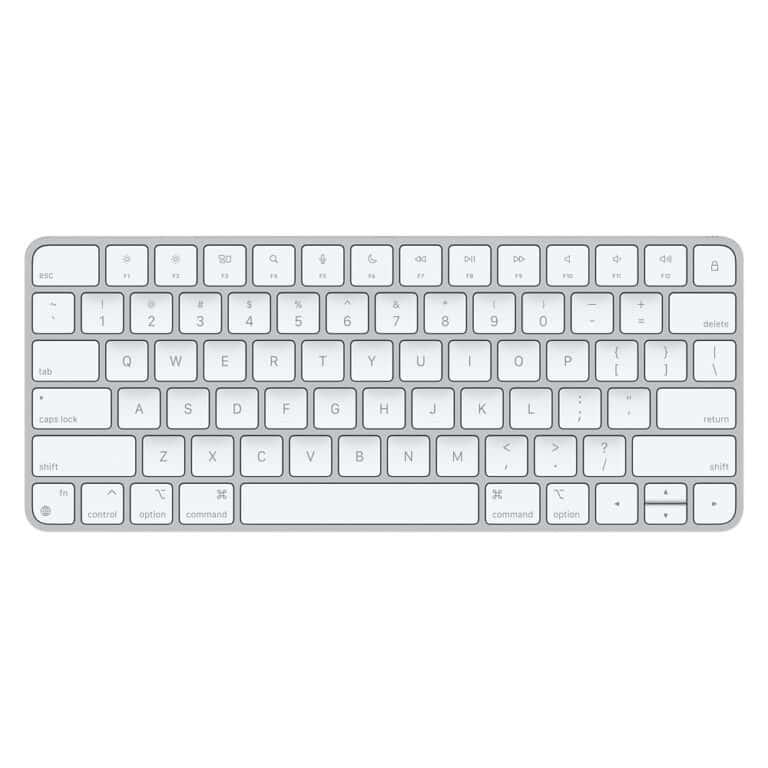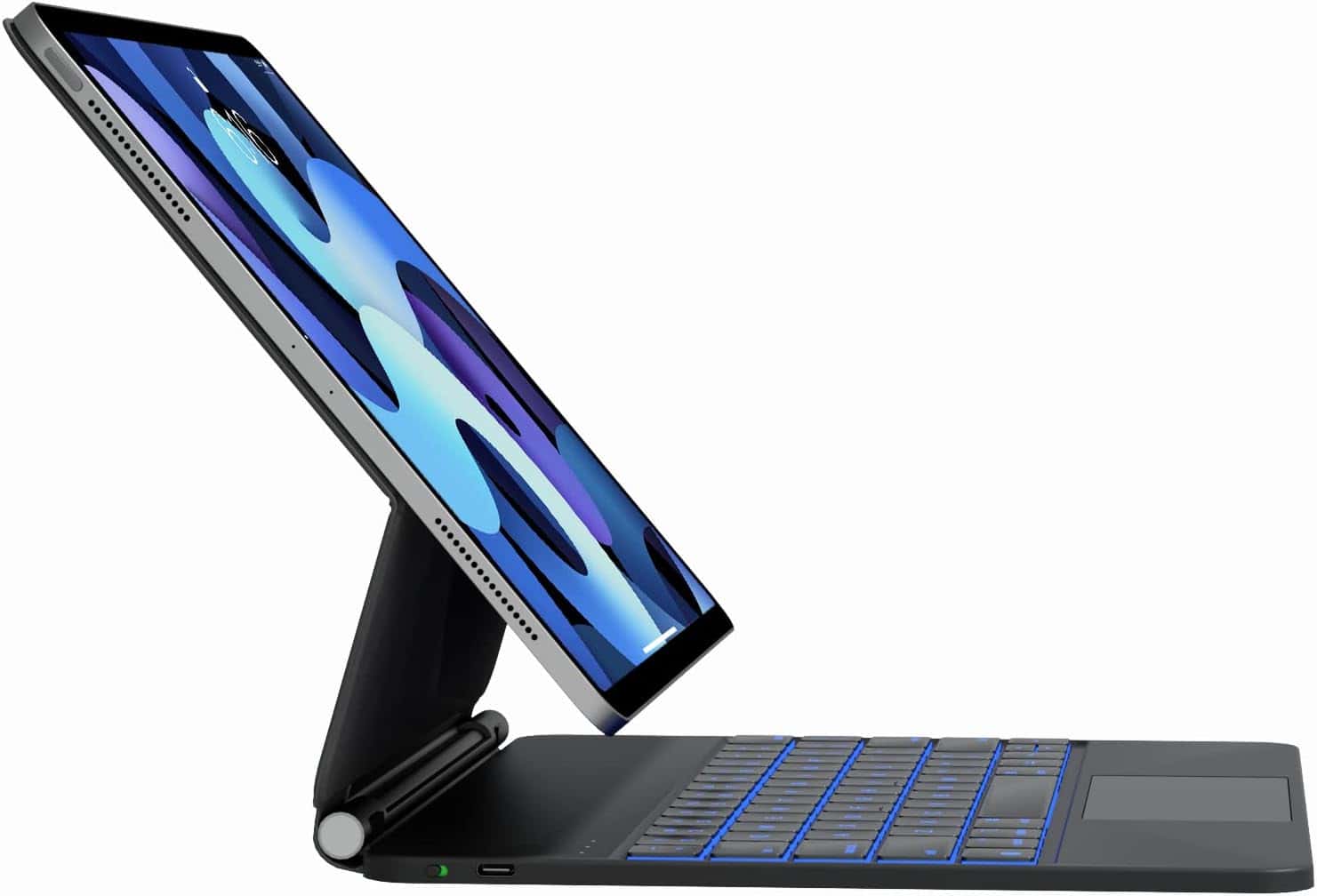
The Apple Magic Keyboard stands out as a premium keyboard case for iPads. It’s sleek and has excellent functionality. However, its high price tag can be discouraging. Luckily, there are several excellent alternatives available that offer similar features, often at significantly lower price points.
iPad Magic Keyboard Alternatives
Apple’s Magic Keyboard for iPad is sleek, premium, and powerful — but it’s also expensive. If you’re looking for a more affordable option or simply want different features, there are excellent alternatives available in 2026.
This guide covers the best iPad Magic Keyboard alternatives, what to look for, and which one is right for you.
Why Look for a Magic Keyboard Alternative?
The Apple Magic Keyboard offers:
- Floating magnetic design
- Backlit keys
- Trackpad
- USB‑C passthrough charging
However, it also comes with:
- ❌ High price (often $249–$349)
- ❌ Limited viewing angles
- ❌ Added weight
- ❌ Compatibility only with specific iPad models
If you want similar functionality for less money — or more flexibility — alternatives may be a better fit.
🏆 Best iPad Magic Keyboard Alternatives (2026)
| Rank | Keyboard | Best For | Trackpad | Backlit Keys | Approx. Price |
|---|---|---|---|---|---|
| 1️⃣ | Logitech Combo Touch | Best overall alternative | ✅ Yes | ✅ Yes | $149–$199 |
| 2️⃣ | ESR Rebound Magnetic Keyboard | Budget Magic-style option | ✅ Yes | ✅ Yes | $90–$120 |
| 3️⃣ | Brydge MAX+ | Laptop-style experience | ✅ Yes | ✅ Yes | $150–$200 |
| 4️⃣ | ZAGG Pro Keys | Productivity & travel | ❌ No | ✅ Yes | $100–$150 |
| 5️⃣ | Arteck Bluetooth Keyboard | Ultra budget | ❌ No | ❌ No | $30–$50 |
1. Logitech Combo Touch (Best Overall)
If you want the closest experience to Apple’s Magic Keyboard at a lower price, this is it.
Key Features:
- Full-size backlit keyboard
- Large precision trackpad
- Detachable keyboard
- Adjustable kickstand
- Smart Connector (no Bluetooth pairing required)
Why It’s Great:
- More flexible viewing angles than Apple’s version
- Often cheaper
- Excellent typing experience
Downsides:
- Slightly bulkier design
✅ Best for students, professionals, and everyday users.
2. ESR Rebound Magnetic Keyboard (Best Budget Magic-Style Option)
This is one of the most affordable magnetic “floating-style” keyboards.
Key Features:
- Magnetic attachment
- Backlit keys
- Built-in trackpad
- Bluetooth connection
Why It’s Great:
- Much cheaper than Apple
- Lightweight
- Clean design
Downsides:
- Slightly less premium feel
- Bluetooth instead of Smart Connector
✅ Best for users who want the Magic Keyboard look without the high price.
3. Brydge MAX+ (Best Laptop-Style Experience)
Brydge keyboards are known for turning your iPad into a laptop.
Key Features:
- Solid aluminum build
- Large trackpad
- Strong hinge for laptop-like feel
- Backlit keys
Why It’s Great:
- Feels like a MacBook
- Very stable on your lap
Downsides:
- Heavier than other options
- Clamping design may not suit everyone
✅ Best for users replacing a laptop with an iPad.
4. ZAGG Pro Keys (Best for Travel)
A slim, detachable keyboard with multiple device pairing.
Key Features:
- Backlit keys
- Bluetooth pairing (up to 2 devices)
- Detachable keyboard
- Built-in stand
Why It’s Great:
- Lightweight
- Affordable
- Travel-friendly
Downsides:
- No trackpad
✅ Best for light typing and portability.
5. Arteck Bluetooth Keyboard (Best Ultra Budget Option)
If you just need basic typing functionality:
Key Features:
- Slim Bluetooth keyboard
- Lightweight
- Rechargeable battery
Downsides:
- No trackpad
- No backlight
- Separate stand required
✅ Best for casual users on a tight budget.
What to Look for in an iPad Keyboard Alternative
Before buying, consider:
✅ Compatibility
Make sure it supports your specific iPad model:
- iPad Pro (11-inch / 12.9-inch)
- iPad Air (4th/5th gen and newer)
- Standard iPad
- iPad mini
✅ Trackpad Support
If you multitask often, a trackpad is essential.
✅ Backlit Keys
Important for typing in low light.
✅ Connection Type
- Smart Connector: No charging required (best experience)
- Bluetooth: More universal, but requires charging
✅ Weight & Portability
Some keyboard cases add significant bulk.
Magic Keyboard vs Alternatives
| Feature | Apple Magic Keyboard | Alternatives |
|---|---|---|
| Price | High | Budget to mid-range |
| Design | Premium floating | Varies |
| Trackpad | Excellent | Good to excellent |
| Flexibility | Limited angles | Often more adjustable |
| Value | Premium experience | Better value options |
If you want the absolute best design and don’t mind the cost, Apple’s version is still excellent. But many alternatives offer 80–90% of the experience at half the price.
Which One Should You Choose?
- 💼 For work & productivity → Logitech Combo Touch
- 💰 For budget Magic-style → ESR Rebound
- 💻 For laptop replacement → Brydge MAX+
- ✈️ For travel → ZAGG Pro Keys
- 🧑🎓 For basic typing → Arteck Bluetooth Keyboard
Final Thoughts
The iPad Magic Keyboard is premium — but it’s not your only option. In 2026, there are excellent alternatives that offer strong typing performance, trackpads, and backlit keys at much lower prices.
Choosing the right keyboard depends on how you use your iPad — for school, business, creative work, or casual browsing.
With the right alternative, your iPad can become a powerful and affordable laptop replacement.
Keyboard Case Options for Your iPad
Logitech Combo Touch
This is a well-regarded option with a detachable keyboard and trackpad. It’s highly versatile, and the backlit keys make it great for working in low-light conditions.
Brydge 11.0 Pro
The Brydge 11.0 Pro transforms your iPad into a laptop-like experience. Its sturdy build quality and comfortable keyboard make it a popular choice for those needing a portable workstation.
ZAGG Pro Keys
This detachable keyboard case offers a magnetic attachment for your Apple Pencil. It’s a reliable and cost-effective option that doubles as a protective case.
Logitech Folio Touch
Similar to the Combo Touch, the Folio Touch features a backlit keyboard and an integrated trackpad. Users often cite its excellent build quality as a primary advantage.
Key Features to Consider
| Feature | Magic Keyboard | Logitech Combo Touch | Brydge 11.0 Pro | ZAGG Pro Keys | Logitech Folio Touch |
|---|---|---|---|---|---|
| Backlit Keys | Yes | Yes | Yes | Yes | Yes |
| Trackpad | Yes | Yes | No | No | Yes |
| Price | High | Medium | Medium | Low | Medium |
Let’s look at these top Magic Keyboard alternatives and consider some essential factors when selecting a keyboard case.
Overview of iPad Keyboard Alternatives
When it comes to iPad keyboard cases, there’s a wide selection to suit different needs and budgets. Although Apple’s Magic Keyboard has features such as a smooth hinge and a dedicated trackpad, several alternatives on the market offer varied functionalities and designs.
Key features to consider:
- Bluetooth connectivity: Many alternative keyboards connect via Bluetooth, such as the ESR Rebound Magnetic Keyboard Case.
- Integrated trackpads: Some, like the Logitech Combo Touch, provide a trackpad experience aiming to replicate the Magic Keyboard.
- Battery life: Since alternatives might not use smart connectors, they rely on built-in batteries that need charging.
Popular alternatives include:
- The ultra-portable Logitech Keys-to-Go stands out for those in search of a case-less or rugged option.
- For a good balance of features and price, the Logitech Slim Folio series offers a reliable typing experience.
- Travel-friendly designs like those found in the COO iPad Mini Keyboard Case cater to on-the-go usability.
- Budget-conscious users have options such as the affordable IVSO Keyboard Case.
Design-wise, users may find that some keyboards add additional weight to their iPad setups. Others boast a variety of color options, different materials, and even backlit keys for typing in low light conditions. While preferences may vary, the quest for the perfect typing companion for the iPad is full of choices, meeting the needs and whims of every iPad user out there.
Top Magic Keyboard Alternatives
When the Apple Magic Keyboard’s price seems steep, there’s a plethora of alternative keyboards that can enhance the typing experience and productivity on your iPad. These range from premium models boasting near-identical performance to budget-friendly options that still deliver on quality.
Premium Alternatives
Logitech MX Keys stands out with its adjustable backlighting and perfect key spacing, offering a comfortable and precise typing experience. It pairs seamlessly with the iPad, ensuring high performance with every keystroke.
Budget-Friendly Alternatives
For those watching their wallet, the ZAGG Pro Keys offers solid performance and a robust typing experience at a fraction of the cost. Its versatility across iPad models makes it a value-driven choice without compromising on productivity.
Alternatives for Specific iPad Models
Keyboards like the Keychron K8 are designed to work with several iPad sizes, including the iPad Pro 12.9. Their ergonomic design ensures comfort during prolonged use, while their connectivity with various iPad models shows their adaptability.
Portable and Travel-Friendly Options
The UAG Rugged Bluetooth Keyboard is lightweight yet durable, ideal for on-the-go use. It provides a sturdy typing surface in compact form, making it a must-have for frequent travelers.
Brand-Specific Alternatives
Keychron specially crafted the Keychron K3 for those who prefer a sleek, minimalistic design. It’s a brand-specific solution that doesn’t skimp on quality, offering a delightful typing feel with every tap.
Feature-Rich Keyboard Alternatives
Keyboards with multi-touch gestures and palm rejection, like some models from Logitech, elevate the iPad’s functionality. The built-in trackpad combined with useful shortcuts and a numeric keypad on some of these keyboards transforms your iPad into a powerhouse for diverse tasks.
Design and Build Quality
When choosing an alternative to the Magic Keyboard for an iPad, design and build quality are top considerations. These aspects can significantly impact the user’s experience, from the durability of the product to how it complements the iPad’s sleek design.
Material and Durability
Alternatives to the Apple Magic Keyboard often use materials such as thermoplastic polyurethane (TPU) or polycarbonate for enhanced durability and longevity. For instance, the Logitech Combo Touch is built with a sturdy frame that not only supports the iPad but also protects it from knocks and falls. Many users appreciate a keyboard case that can withstand daily use without showing signs of wear too soon.
Aesthetics and Form Factor
The design and aesthetics of iPad keyboard alternatives vary, aiming to match or compliment Apple’s minimalist style. Some offer a range of colors and finishes, allowing users to personalize their devices beyond the standard space gray or silver. The slim design of many cases is not just for looks; it helps maintain the iPad’s sleek profile without adding unnecessary bulk.
Size and Weight Considerations
A good balance between protection and portability is crucial. Cases should be lightweight yet robust enough to safeguard the iPad. This balancing act is evident in cases like the ESR Rebound Magnetic Keyboard Case, which promises comprehensive protection without significantly increasing the size or weight of the iPad.
Case Integration and Protection
The level of protection offered by a keyboard case is a crucial factor. Many alternatives to the Magic Keyboard come with features like backlighting and Apple Pencil 2 holders, but they also need to integrate well with the iPad, allowing for easy attachment and detachment. Some cases, such as the ESR Ascend Keyboard Case, include magnetic closures that keep the iPad secure while not in use, offering an extra layer of safety.
Typing and Usage Experience
When considering an alternative to the iPad’s Magic Keyboard, it’s crucial to assess the typing experience, from key quality to functional shortcuts, for a boost in productivity.
Key Feel and Layout
The tactile response from a keyboard can drastically change one’s typing speed and accuracy. Alternatives with mechanical keys provide a clicky feedback that might appeal to those accustomed to traditional keyboards, while membrane keys offer a softer, quieter experience. Layouts are generally similar, with well-spaced keys, though some may have slightly varied key sizes that require a short adjustment period.
Functionality and Shortcuts
For streamlining tasks, function keys and shortcuts are a game changer. Many keyboard alternatives match the Magic Keyboard’s shortcut offerings, including media controls and quick access to search functions. Compatibility with iOS features ensures that productivity doesn’t take a hit when transitioning to a third-party keyboard. Some may also boast programmable keys to customize workflow further.
Ergonomics and Comfort
Ergonomics play a pivotal role in long-term comfort. A keyboard that offers wrist support and can maintain a natural hand position is beneficial. Ergonomic designs reduce strain during prolonged periods of typing, which can prevent discomfort and potential wrist issues.
Adjustability and Viewing Angles
An adjustable backlit keyboard enhances the usability in various lighting conditions. When paired with a case or stand that allows for multiple viewing angles, it provides a more laptop-like experience. This versatility is crucial for productivity tasks, as it accommodates different workspaces and personal preferences.
Connectivity and Power
When looking for Magic Keyboard alternatives, how the keyboard connects to your iPad and how it is powered are crucial considerations.
Bluetooth and Wireless Options
Alternative keyboards often rely on Bluetooth for connectivity, allowing for a wireless experience. This is handy because it means you can use your keyboard with a variety of devices beyond just your iPad, like a MacBook, iPhone, or even Windows and Android devices. Plus, it’s pretty convenient since you’re not tied down by cables.
Smart Connector and USB-C Integration
Some alternatives also feature a Smart Connector, which means they snap onto your iPad and connect instantly—no pairing required. It’s about as portable and easy-to-use as it gets. Additionally, keyboards with a USB-C port can draw power from the iPad, eliminating the need for separate charging.
Battery Life and Charging
Good battery life is a must, and some keyboards boast impressive battery performance, saving you from constant recharging. They may have integrated batteries, charge via USB-C, or even use replaceable batteries. Imagine not worrying about charging your keyboard for a week or more!
Compatibility Across Devices
While many keyboards are designed specifically for iPads, some may work with other Apple products like the M1 MacBook Air or Mac Mini, as well as the Apple TV. It’s worth checking if a keyboard can play nice with all your tech, making it a versatile pick for those who switch between devices.
Additional Functionalities
When searching for a Magic Keyboard alternative for an iPad, it’s crucial to consider the added features that enhance utility. These functionalities elevate the overall user experience, making the iPad more versatile and productive.
Integrated Trackpads and Mouse Support
Modern keyboard alternatives often feature integrated trackpads, providing a laptop-like experience for iPad users. They support multi-touch gestures, enabling smoother navigation and control. For instance, Logitech’s Combo Touch comes with a sizeable trackpad that allows for precise cursor movements, supports multi-touch gestures, and has palm rejection for comfortable typing and browsing.
Backlighting Features
Typing in low-light environments is a breeze with keyboards that include backlighting. Whether it’s a dim airplane cabin or a cozy corner of a coffee shop, adjustable backlit keys mean no more squinting in the dark. Backlighting features vary, with some keyboards offering different levels of brightness for optimal visibility.
Apple Pencil and Accessory Support
For those who use Apple Pencil 2 or other accessories, it’s essential to pick a keyboard case that accommodates them. Reliable Apple Pencil support ensures that the Pencil is always within reach for note-taking, drawing, or other creative tasks. Many alternative keyboards are designed with Apple Pencil holders or charging docks, keeping the Pencil secure and fully charged.
Comparisons and Recommendations
When exploring alternatives to the Apple Magic Keyboard, it’s vital to weigh up the key factors such as price, performance, and user satisfaction. Each of these aspects plays a role in finding the best keyboard for your iPad, whether for work or play.
Comparing Magic Keyboard with Alternatives
The Apple Magic Keyboard offers a seamless typing experience with its floating design and built-in trackpad. However, brands like Logitech present worthy competitors with their Combo Touch keyboard, which also features a trackpad and smart connector for iPad. Users should compare build quality, battery life, and design when looking at alternatives.
Price to Performance Ratio
Price is a major deciding factor. The Logitech Combo Touch is often seen as providing a high value for its cost, given its similar functionality to the Magic Keyboard. When evaluating alternatives, the price to performance ratio is best understood by comparing battery life, typing comfort, and feature sets against cost.
Productivity and Professional Use
For those using their iPad for work, productivity is key. Features like backlit keys, battery life, and convenient shortcut keys can make a big difference. Ergonomics also play a role, as comfortable, long-term use is crucial for productivity. Alternatives that match the Magic Keyboard in these areas while often being more affordable can be suitable options for professionals.
User Reviews and Testimonials
User feedback is invaluable. Testimonials often highlight the real-world advantages and drawbacks of each keyboard. Many users comment on the sturdiness of alternatives like the ZAGG Pro Keys and appreciate the customization options they provide, which can be pivotal for a personalized typing experience.
Final Thoughts on Selection
Considering compatibility and features alongside design and convenience leads to an informed choice. While the Magic Keyboard sets a high standard, diverse options in the market cater to different needs and preferences. It’s important for users to identify what matters most to their daily use when making a selection.
Accessibility and Support
When selecting an alternative to the iPad Magic Keyboard, it’s crucial to consider the customer service and warranty offered by different brands. A reliable brand enhances the user experience with accessible support and a solid warranty backing their product.
Customer Service and Warranty
Most reputable keyboard manufacturers ensure that their customer service is helpful and reachable. Often, brands like Logitech and UAG provide various channels for support, including phone, email, and live chat. It’s important for users to have access to prompt and knowledgeable assistance when they need it. The warranty period and coverage also play a significant role. For instance, the Logitech Combo Touch keyboard typically comes with a 1-year warranty, a standard among well-known brands, which protects against manufacturing defects and other potential issues. This reassurance allows users to choose an alternative keyboard more confidently, knowing they have support in case any problems arise.
Expert Opinions and Reviews
When hunting for a Magic Keyboard alternative for the iPad, expert opinions provide invaluable guidance. Reviewers consistently tout the Logitech Combo Touch as a standout option, with its versatile features including a trackpad, backlight, and stand positioning it at the forefront of the market.
Zagg’s Pro Keys keyboard emerges as another top recommendation. It offers durability and a comfortable typing experience, appealing to iPad users who are constantly on the go. The Logitech MX Keys for Mac is frequently praised for its compatibility with Mac devices, signifying its status as a versatile choice for Apple enthusiasts.
| Keyboard Model | Notable Features | Expert Rating |
|---|---|---|
| Logitech Combo Touch | Smart connectors, trackpad, backlight, stand | Highly Recommended |
| Zagg Pro Keys | Durable, comfortable typing | Recommended |
| Logitech MX Keys | Mac compatibility, smooth typing experience | Highly Recommended |
TechRadar, a trusted source for tech product reviews, suggests that consumers consider these alternatives based on usage needs and budget constraints. They emphasize the importance of identifying individual preferences in keyboard feel, battery life, and design before making an informed decision.
These reviews present just a slice of the advice available, yet they underscore the compatibility and features that make each option unique. Users are encouraged to consider the pros and cons of each model before finalizing their purchase.
Frequently Asked Questions
Finding a keyboard for your iPad that suits your needs can be simple. Here, we answer some of the most common questions about high-quality alternatives to the Magic Keyboard for iPad users.
What are some high-quality alternatives to the Magic Keyboard for an iPad Pro?
Several keyboards match the Magic Keyboard in quality. Options like the Logitech Combo Touch and the ESR Rebound Magnetic Keyboard Case offer comparable functionality with the benefit of lower prices.
Can I use a wireless keyboard and mouse with my iPad, and what are the best options?
Yes, iPads support wireless keyboards and mice that use Bluetooth. The Logitech MX Keys and the Logitech MX Master 3 are popular choices known for their excellent performance with iPads.
Are there any iPad cases with integrated keyboards that rival Apple’s Smart Keyboard Folio?
Definitely. The Logitech Slim Folio Pro and the Brydge Pro are two cases with integrated keyboards acclaimed for their sturdy build and reliable performance, much like the Smart Keyboard Folio.
What third-party keyboards are compatible with the iPad Air (5th generation)?
The iPad Air (5th generation) works well with third-party keyboards like the Logitech Folio Touch and the ZAGG Pro Keys, which offer compatibility and a quality typing experience.
In terms of functionality and design, which keyboards are considered comparable to Apple’s Magic Keyboard?
Keyboards such as the Logitech MX Keys and the Brydge Pro+ have been noted for their similar design sensibilities and functionality when compared to the Magic Keyboard, with responsive keys and sleek designs.
Which Logitech keyboards are recommended for use with an iPad?
Logitech offers a variety of iPad-compatible keyboards, the most recommended being the Logitech Combo Touch for its versatile design and the Logitech K780 for its multi-device connectivity.