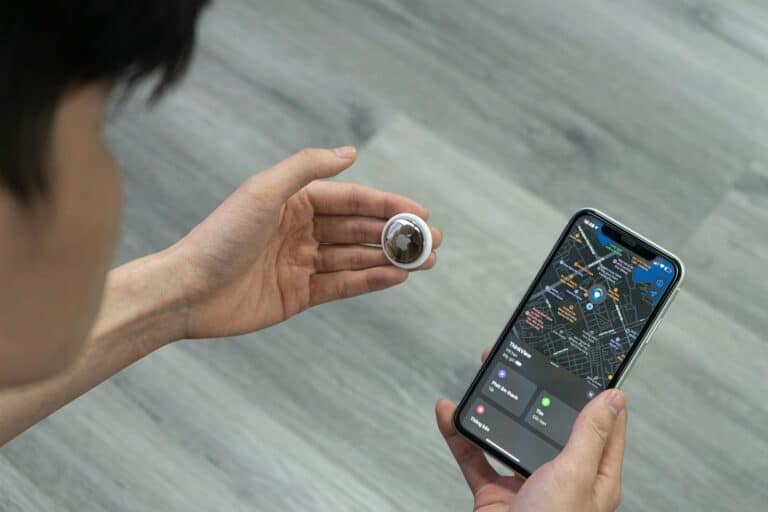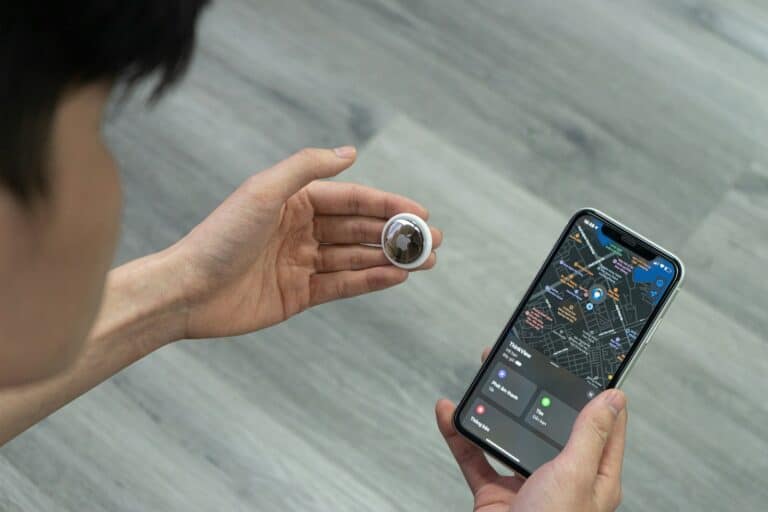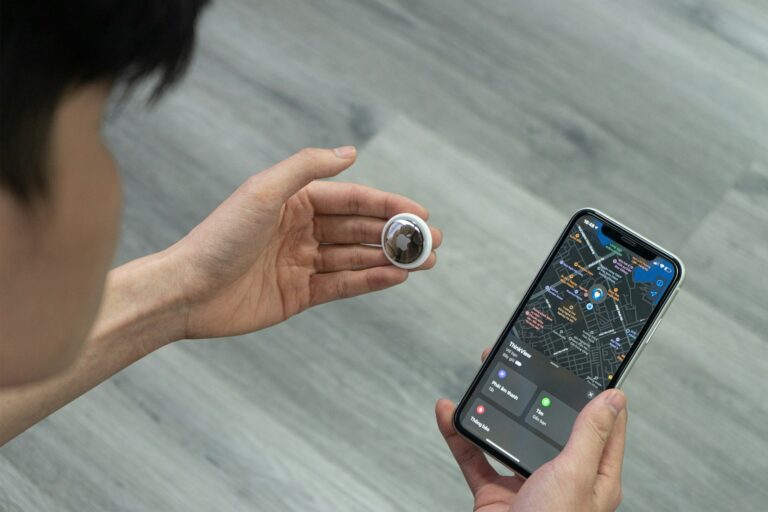
AirTags are a handy way to keep track of your stuff. But like any battery-powered device, they eventually need a new battery. Luckily, replacing the AirTag’s battery is a breeze. With just a few simple steps, you can have your AirTag working like new again.
1. What You Need
- A New Battery: You need a CR2032 lithium 3V coin battery.
- The “Bitterant” Warning: This is the most important step. Many battery manufacturers (like Duracell) coat their coin batteries in a bitter-tasting substance to prevent children from swallowing them. Apple AirTags often do not work with bitterant-coated batteries because the coating can prevent the battery terminals from making a proper connection. Look for batteries labeled “Non-Bitterant” or wipe the battery down with an alcohol prep pad before installing.
2. Step-by-Step Instructions
Step 1: Open the AirTag
- Hold the AirTag with the polished silver stainless steel battery cover facing toward you.
- Press down firmly on the silver cover.
- While pressing down, rotate the cover counter-clockwise (to the left) until it stops rotating.
Step 2: Remove the Old Battery
- Lift off the silver cover.
- Remove the old battery and set it aside for recycling.
Step 3: Insert the New Battery
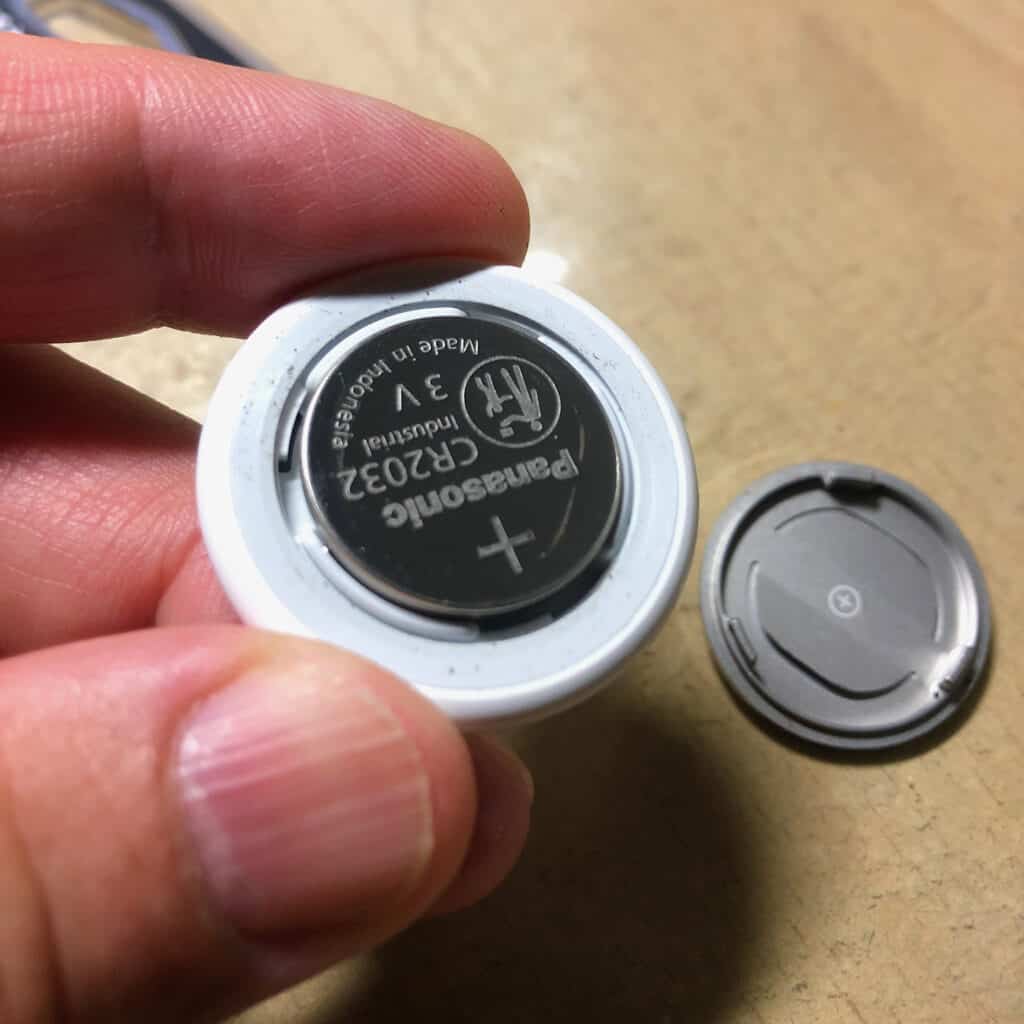
- Insert the new CR2032 battery with the positive (+) side facing up (you should see the text and the “+” sign on the battery).
- Press down on the battery. You should hear a distinct “chime” or startup sound. This sound indicates that the battery is connected and the AirTag is powered on. If you don’t hear a sound, the battery may have a bitterant coating that needs to be cleaned off.
Step 4: Close the AirTag
- Replace the silver cover, making sure the three tabs on the cover align with the three slots on the AirTag.
- Press down on the cover.
- Rotate the cover clockwise (to the right) until it stops and feels secure.
3. Troubleshooting
- No Sound: If you don’t hear the chime when pressing the battery down, the battery is likely upside down or has a coating blocking the connection. Ensure the “+” side is facing you.
- “Low Battery” Warning Won’t Go Away: Sometimes the Find My app takes a few hours to update the battery status. If it still says “Low Battery” after 24 hours, try removing and re-inserting the battery to “reboot” the tag.
- Cover Won’t Stay On: Ensure the three tabs are perfectly aligned with the slots before you start turning. If one tab is bent, the cover will sit crooked and won’t lock.
4. Safety & Disposal
- Choking Hazard: Coin batteries are extremely dangerous if swallowed. Keep both the old and new batteries away from children and pets at all times.
- Proper Disposal: Do not throw the old battery in the trash. Take it to a local electronics recycling center or a dedicated battery drop-off location (often found at Best Buy, Home Depot, or Lowe’s).
Pro Tip: If you are replacing multiple AirTag batteries at once, do them one at a time to avoid mixing up which AirTag belongs to which item in your Find My app!
Replacing Your AirTag Battery: A Step-by-Step Guide
Understanding Your AirTag’s Battery
AirTags use a standard CR2032 coin battery, a common type you can find in drugstores and electronics stores. It’s a small, round, silver battery. Apple says these batteries should last about a year with regular use, but this can vary depending on how often you use your AirTag.
Signs Your AirTag Needs a New Battery
There are a couple of ways to tell when your AirTag’s battery is getting low:
- Low Battery Notification: You’ll get a notification on your iPhone when your AirTag’s battery is running low.
- Check in Find My App: Open the Find My app, tap on the Items tab, and select your AirTag. If the battery is low, you’ll see a message saying “Low Battery.”
Tools You’ll Need
- New CR2032 Battery: Pick up a fresh battery from a store.
- Optional: You might want a pair of tweezers to help handle the battery.
Replacing the Battery: Step-by-Step
- Find the Battery Cover: Your AirTag’s battery cover is the shiny metal part on the back.
- Press and Twist: Press down on the cover and twist it counter-clockwise until it stops.
- Remove the Cover: The cover will pop off, revealing the battery.
- Take Out the Old Battery: Use your fingers or tweezers to remove the old battery.
- Put in the New Battery: Insert the new battery with the positive (+) side facing up. You should hear a little sound when it connects properly.
- Replace the Cover: Line up the three tabs on the cover with the slots on the AirTag. Press down and twist the cover clockwise until it stops.
Important Safety Notes
- Keep Batteries Away from Children: Coin batteries can be dangerous if swallowed.
- Dispose of Old Batteries Properly: Used batteries should be recycled according to your local regulations.
Summary: AirTag Battery Replacement
| Step | Action |
|---|---|
| 1 | Press and twist the battery cover counter-clockwise. |
| 2 | Remove the cover. |
| 3 | Take out the old battery. |
| 4 | Insert the new battery with the positive side up. |
| 5 | Replace the cover and twist clockwise until it stops. |
Introduction to AirTag Battery Replacement
Replacing the battery in your AirTag ensures that this handy piece of technology keeps helping you track your items. Apple designed the AirTag with a user-replaceable CR2032 coin cell battery—the kind you might find in a watch or small remote. Generally, the battery should last about a year, but it’s always good to know how to replace it when the time comes.
When it’s time to put in a new battery, it’s a simple process:
- Press Down: Using your thumbs, press down on your AirTag’s battery cover.
- Twist: While pressing down, twist the cover counterclockwise until it stops.
- Remove: Take off the cover and remove the old battery.
- Insert New Battery: Place the new CR2032 battery into the compartment, making sure the positive side is facing up.
- Close and Twist: Put the cover back on and twist clockwise to lock it into place.
Safety is important, so keep the new battery away from small children and pets since it can be a choking hazard. Also, get a quality replacement—cheap alternatives may not last as long or could cause issues.
Remember: AirTags don’t give off a low-battery alert. It’s a good idea to keep track of when you started using your AirTag to estimate when you might need a new battery. That way, you won’t be caught off-guard by a dead AirTag when you need it most.
Understanding AirTag and Its Battery
Apple’s AirTag allows users to easily track and locate their belongings, thanks to its compact design and replaceable battery, which ensures long-term usability without the need for charging cables.
Components of an AirTag
An AirTag is a small, puck-shaped tracking device with two main parts: a white plastic cover and a stainless steel back emblazoned with the Apple logo. Internally, it houses a speaker for emitting sound to help locate items, and a user-replaceable CR2032 lithium 3V coin battery provides the power needed to function.
CR2032 Lithium 3V Coin Battery Fundamentals
The AirTag’s battery is a CR2032 lithium 3V coin battery, a common type found in many small electronic devices. This lithium battery is lauded for its longevity, which can last about a year, depending on usage. It’s easily replaceable by the user, making the AirTag a low-maintenance device for everyday tracking needs.
Indicators of a Low Battery
When an AirTag’s battery starts running low, there are clear signals that notify the user. The most direct indication is a notification that appears on connected iPhone or iPad devices. Here’s how they inform you:
Notification Alert: A message pops up stating “AirTag Battery Is Low”, prompting the user to replace the battery soon.
Find My App: Within the app, under the Items tab, if the battery life is critically low, a “Low Battery” warning will be displayed beneath the AirTag’s name.
It’s important for users to keep an eye on these alerts to maintain the effectiveness of their tracking. The notifications act as a reminder that it’s time to purchase a new CR2032 lithium 3V coin battery, which is the type that AirTags require.
Remember, staying proactive about battery replacement ensures the AirTag continues to function properly, helping you keep track of your belongings without interruption.
Choosing the Right Replacement Battery
When the time comes to give your Apple AirTag a new lease on life, picking the correct battery is crucial.
CR2032 Specifications
The Apple AirTag is compatible with the CR2032 coin cell battery. This battery is a 3V lithium coin cell, known for its long life and widespread availability. Not all CR2032 batteries are created equal though; it’s important to ensure that the one you choose is of good quality to guarantee longevity and reliability for your AirTag.
Specifications for replacement:
- Type: Lithium 3V coin battery
- Model Number: CR2032
- Polarity: Positive side must face up when installed
Bitterant Coating Significance
A key feature to consider for safety is a bitterant coating. This addition to CR2032 batteries is significant as it helps deter ingestion by small children. The bitter taste is intended to prompt anyone, especially young kids, who might place the battery in their mouth to immediately spit it out, potentially preventing choking or poisoning incidents.
- Safety Feature: Bitterant coating
- Purpose: Prevents accidental ingestion
- Recommendation: Choose bitterant-coated CR2032 battery for homes with small children
Keep in mind to look for a bitterant-coated CR2032 battery if you have little ones at home—it’s an easy step that adds a layer of safety.
Step-by-Step Battery Replacement Guide
Replacing the battery in an AirTag is a straightforward process that requires no special tools. Here’s how to do it safely and effectively.
Preparation and Safety
Before starting, ensure a clean workspace and have the replacement CR2032 lithium 3V coin battery at hand. Avoid touching the battery’s contacts and always handle the AirTag gently to prevent damage.
Opening the AirTag
Hold the AirTag with the white side facing down. Press down on the stainless steel battery cover and rotate it counterclockwise to align the three tabs on the cover with the three slots on the AirTag. Lift the cover away once it’s loosened.
Removing the Old Battery
Gently remove the old battery from the AirTag. Take care not to use excessive force which could damage the internal components.
Installing the New Battery
Place the new CR2032 battery into the AirTag with the positive side facing up, ensuring a snug fit. You should hear a sound confirming that the battery is connected.
Closing the AirTag
Align the battery cover‘s three tabs with the slots on the AirTag. Press down and rotate the cover clockwise until it’s secure. Your AirTag should now be ready to use with the new battery installed.
Post-Replacement Steps
Once you’ve inserted a new battery into your AirTag, it’s essential to ensure that the device is functioning correctly and to dispose of the old battery responsibly.
Testing AirTag Functionality
To confirm that your AirTag is operating as expected:
- Check the Battery Charge: In the Find My app, locate your AirTag and check the battery charge indicator to ensure it reflects a full battery.
- Verify Connectivity: Ensure that the AirTag appears in the Find My app and updates its location. If it’s within range, you can play a sound from the AirTag to test its speaker.
Disposal of Old Batteries
Follow these tips for proper battery disposal:
- Recycling Centers: Take the old CR2032 lithium battery to a recycling facility that accepts batteries.
- Retail Stores: Some electronic or drug stores offer recycling bins for batteries.
- Environmental Impact: Proper disposal is crucial as batteries can be harmful to the environment if not handled correctly.
Maintenance Tips for Prolonging Battery Life
Your AirTags depend on a coin cell battery to help you keep tabs on your belongings. To ensure that this little device keeps working for as long as possible, consider the following maintenance tips.
Regularly Check the Battery Level
- Check in the “Find My” app: Your AirTags sync with the Find My app on your iPhone or iPad, which can show you an approximate battery life. Make it a habit to glance at this indicator now and then.
Minimize Unnecessary Usage
- Smart Alerts: Be judicious with setting up alerts. If your AirTag is on a frequently used item like keys, avoid setting alerts for when it’s in range.
- Streamline Tracking: Keep track of only crucial items; reducing the number of AirTags in use saves on battery use overall.
Use Features Wisely
- Lost Mode: Only use Lost Mode when necessary. It increases the frequency of location updates, which can drain the battery faster.
- Precision Finding: Use precision finding sparingly. It’s a handy tool, but frequent use can contribute to a quicker battery drain.
Optimize Settings for Battery Life
- Disable Unneeded Notifications: Tone down how many times your AirTag beeps for updates. Go to the “Items” tab in the Find My app and adjust the settings.
By incorporating these simple yet effective habits into your routine, you can prolong the battery life of your AirTags and ensure they’re ready when you need them. Regular monitoring and mindful use can make a significant difference in how often you need to replace that little battery that powers these convenient trackers.
Troubleshooting Common Battery Replacement Issues
When replacing the battery in an AirTag and it’s still not working, here are some steps to try:
Check the Battery Orientation: The CR2032 battery needs to be inserted with the positive side facing up. If it’s the wrong way, the AirTag won’t power on.
Reset the AirTag: Press down on the battery until you hear a sound, indicating the connection is good. If there’s no sound, reposition the battery and try again.
Examine the Battery Contacts: Dirty or obstructed contacts can prevent power flow. Gently clean the contacts with a dry cloth if they appear tarnished or dirty.
Verify Battery Life: Use only new, high-quality CR2032 batteries. Old or low-quality batteries might not provide enough power, even if they are new to you.
Check ‘Find My’ App: After replacing the battery, open the ‘Find My’ app to see if the AirTag appears. If it doesn’t show up, ensure that your device’s Bluetooth and location services are on.
AirTag Not Tracking?
If the AirTag is on but not tracking:
- Refresh the Connection: Remove the AirTag from your items and then reattach it. This can help reset the tracking signal.
- Update Your Device: Make sure the device you are using with your AirTag has the latest iOS update installed.
Remember, good maintenance of your AirTag, including timely battery replacements, ensures optimal tracking performance and extends battery life.
Frequently Asked Questions
When it comes to replacing your AirTag battery, there are some common questions people have. This section aims to answer those, giving you a straightforward guide on costs, battery types, and the replacement process.
How much does it typically cost to replace an AirTag battery?
Replacing an AirTag battery is generally inexpensive. A single CR2032 battery, which is the type the AirTag uses, can cost around $1 to $3 depending on where you buy it.
Why might a new battery not work after replacing it in an AirTag?
If a new battery isn’t working in an AirTag, it could be because the battery isn’t seated properly or it might have a bitterant coating that’s incompatible with AirTags. Always ensure the battery contacts are clean and the battery is inserted correctly.
What type of batteries are compatible with AirTags?
AirTags require CR2032 lithium 3V coin batteries. Make sure to use batteries without a bitterant coating as this can cause issues with connectivity.
How can one replace an AirTag battery?
To replace the battery, hold the AirTag with the white side facing down, then press and twist the stainless steel battery cover counter-clockwise. Remove the old battery, place the new CR2032 with the positive side up, and twist the cover back in place.
What is the average lifespan of an AirTag battery?
An AirTag battery typically lasts for about one year, dependent upon how often it’s used. When it’s time to replace it, the Find My app can notify you that the battery is running low.
Are third-party brand batteries like Duracell’s CR2032 suitable for use in AirTags?
Yes, third-party CR2032 batteries from reputable brands like Duracell are suitable for AirTags, provided they don’t have a bitterant coating which can hinder functionality.