Good signal strength is important for activities like browsing, sending emails, or streaming videos. Signal strength is measured in decibels-milliwatts (dBm) and ranges from -30 dBm (strongest) to -120 dBm (no signal). A signal above -67 dBm is considered good for higher throughput tasks like video calls or online gaming. You can improve your signal strength by repositioning the router, reducing interference, or upgrading your equipment. Understanding and optimizing signal strength can greatly improve your technology experience.
What Is Considered Good Signal Strength?
Signal strength affects how well your device connects to Wi‑Fi, cellular networks, Bluetooth, and other wireless services. Understanding what “good” signal strength means can help you troubleshoot slow speeds, dropped connections, and poor call quality.
What Is Signal Strength?
Signal strength measures how powerful a wireless signal is when it reaches your device. It’s typically measured in decibels referenced to a milliwatt (dBm).
Important: Signal strength values are negative numbers.
Closer to 0 = stronger signal.
What Is a Good Signal Strength (dBm)?
General Signal Strength Scale
| Signal Strength (dBm) | Quality | What It Means |
|---|---|---|
| ‑30 dBm | Excellent | Extremely strong (very close to source) |
| ‑50 dBm | Excellent | Ideal for high‑performance use |
| ‑60 dBm | Very Good | Reliable for streaming & calls |
| ‑67 dBm | Good | Minimum for stable apps & VoIP |
| ‑70 dBm | Fair | May experience slow speeds |
| ‑80 dBm | Poor | Unstable connection |
| ‑90 dBm | Unusable | Connection likely drops |
✅ ‑50 to ‑67 dBm is considered good for most uses.
Good Signal Strength by Connection Type
Wi‑Fi Signal Strength
- Excellent: ‑50 dBm or better
- Good: ‑60 to ‑67 dBm
- Usable: ‑68 to ‑70 dBm
- Poor: ‑71 dBm or worse
Best for:
- Video calls
- Online gaming
- 4K streaming
Cellular (Mobile) Signal Strength
- Excellent: ‑65 dBm or better
- Good: ‑75 dBm
- Fair: ‑85 dBm
- Poor: ‑95 dBm or worse
Affected by:
- Distance from cell towers
- Building materials
- Network congestion
Bluetooth Signal Strength
- Strong: ‑60 dBm or higher
- Usable: ‑70 dBm
- Weak: ‑80 dBm or worse
Bluetooth works best at short distances with minimal interference.
How Many Bars Is a “Good” Signal?
Signal bars are not standardized and vary by device.
General rule:
- 4–5 bars: Good to excellent
- 2–3 bars: Fair
- 0–1 bar: Poor
For accuracy, dBm values are far more reliable than bars.
What Affects Signal Strength?
- Distance from router or tower
- Walls, floors, and metal objects
- Interference from other devices
- Network congestion
- Device antenna quality
How To Check Signal Strength
On iPhone
- Use Field Test Mode:
Dial*3001#12345#*and press call
On Android
- Settings → About Phone → Status
- Or use Wi‑Fi analyzer apps
On Computers
- macOS: Option‑click Wi‑Fi icon
- Windows: Wi‑Fi analyzer tools
How To Improve Signal Strength
- Move closer to the router or access point
- Reposition your router centrally
- Reduce interference (microwaves, cordless phones)
- Use Wi‑Fi extenders or mesh systems
- Update router firmware
- Upgrade old networking equipment
What Signal Strength Do You Actually Need?
| Activity | Recommended Signal |
|---|---|
| Browsing & email | ‑70 dBm |
| HD streaming | ‑67 dBm |
| Video calls | ‑60 dBm |
| Online gaming | ‑55 dBm |
| 4K streaming | ‑50 dBm |
Final Thoughts
A good signal strength typically falls between ‑50 and ‑67 dBm, depending on your activity. If your signal is weaker than ‑70 dBm, you’ll likely experience slower speeds and dropped connections.
If you’d like help:
- Measuring your signal strength
- Improving Wi‑Fi or cellular reception
- Choosing routers or extenders
How to Determine Signal Strength and What It Means
Whether you’re trying to make a phone call or stream a movie, the quality of your connection depends on your signal strength. But how can you measure it, and what do the numbers actually tell you?
Understanding Signal Strength Measurement
Signal strength is measured in decibel-milliwatts (dBm). It’s displayed as a negative number. The closer that number is to zero, the stronger your connection is.
Here’s a handy table explaining the various signal strength ranges and what to expect:
| Signal Strength (dBm) | Expected Connection Behavior |
|---|---|
| -50 to -60 | Excellent signal, fast and reliable |
| -60 to -70 | Good signal, some minor slowdowns possible |
| -70 to -80 | Usable, but expect slower speeds, longer buffering |
| -80 to -100 | Connection may be spotty, calls may drop, data may fail |
| -100 and below | Extremely weak or no connection |
How to Check WiFi Signal Strength
Using Your Device
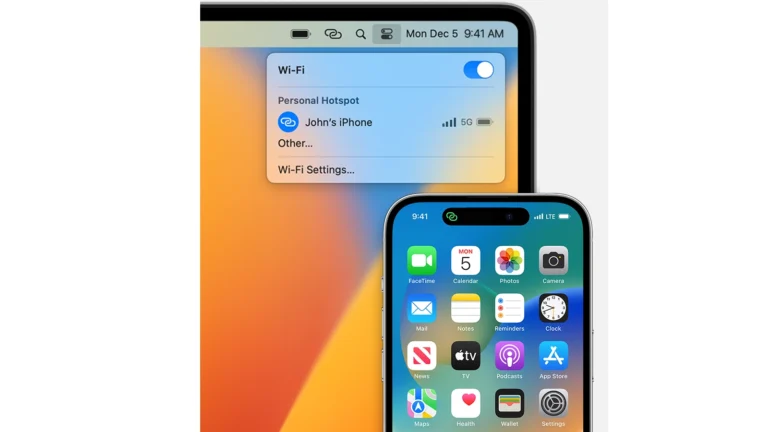
Most laptops, tablets, and smartphones have built-in signal strength indicators. On laptops, it’s usually displayed as bars or a similar graphic in your wireless network settings. On mobile devices, it’s often shown as bars in the top corner of the screen.
Using Third-Party Apps
Several free or inexpensive apps can show your WiFi signal strength in dBm, along with graphs and other helpful information. Some popular options include:
- WiFi Analyzer (mobile)
- NetSpot (desktop)
How to Check Cell Phone Signal Strength
Using Field Test Mode
Most phones have a hidden “field test mode” that shows your signal strength in dBm.
- iPhone: Dial
*3001#12345#*and press call. - Android: The process varies, search “[Phone Model] field test mode” online for instructions.
Using Apps
Several apps display signal strength more conveniently, often along with other cell tower information. Consider options like:
- Network Cell Info Lite (Android)
- Open Signal (Android and iOS)
Key Takeaways
- Strong signal strength is key for reliable internet use.
- Signal strength above -67 dBm is good for most activities.
- Repositioning devices can help improve signal strength.
Understanding Signal Strength
Signal strength is critical for reliable cell phone and Wi-Fi use. It determines how well you can connect to your network.
Defining Signal Strength
Signal strength shows how powerful a wireless signal is. The stronger the signal, the better the quality of your call or data transfer.
Signal Measurement Units
We measure signal in decibel-milliwatts (dBm). dBm is a unit that combines decibels and milliwatts to express power levels. For example, a signal might read as -70 dBm. Lower numbers mean a stronger signal.
Importance of Strong Signal
A strong signal is important for clear calls and fast internet. It helps devices communicate without losing connection. This makes your phone and internet use smooth.
| Signal Strength (dBm) | Quality |
|---|---|
| -30 to -67 | Excellent to Good |
| -68 to -70 | Fair |
| Below -70 | Weak and Unreliable |
Good strength means the signal is strong enough for tasks like streaming video or making calls without trouble. The right strength for your needs depends on how you use your device.
Optimizing Signal Reception
A strong and stable signal is vital for a reliable connection. This section offers a step-by-step guide to enhance wifi and cellular signals.
Identifying Signal Interference
Signal interference often comes from physical barriers like walls and electronics. Users should check for these blockages. They must also be aware of background noise from other devices that use radio waves. This noise can weaken wifi and phone signals. Identifying these sources paves the way for improvements.
Improving Signal Strength
To boost signal strength, one should move closer to the wifi router or cell tower. For wifi, changes in network settings might help. It could be beneficial to switch to another frequency band or channel less crowded with other networks. One may also reboot the router to clear any temporary issues. For cellular signals, moving to a window or a higher floor often improves reception.
Technical Solutions and Practices
A variety of tools can aid in amplifying signals. Wifi extenders and mesh routers extend coverage to dead zones. Firmware updates can improve router performance. Signal boosters support better cellular reception. They are especially useful in areas where the external signal is weak. When using devices, ensure they have the latest software to maintain optimal connectivity. Ethernet connections offer a stable alternative for devices like smart TVs and laptops. Users should also consider a periodic reboot of their devices to maintain a healthy signal reception.
Frequently Asked Questions
This section answers common concerns about signal strength for various devices and networks. Each question focuses on specific issues related to signal quality and enhancement to help you solve them.
How can I determine if my iPhone’s signal strength is sufficient?
Check your iPhone’s signal strength by looking at the bars in the upper corner of the screen. More bars indicate better signal. For a precise measurement, switch to Field Test Mode to view the actual dBm value.
What defines a strong WiFi signal?
A strong WiFi signal usually means a reading of -50 dBm to -60 dBm. This indicates a robust and reliable connection for activities like streaming and gaming.
How to interpret dBm readings for signal quality?
In dBm readings, a higher number closer to zero means a stronger signal. For example, -30 dBm is a stronger signal than -80 dBm. Below -100 dBm usually signals poor connectivity.
What methods are available for measuring the signal strength of different network operators?
Use network signal testing apps or built-in phone tools to compare operators’ signal strengths. Some phones also provide this information in their settings under network or mobile data.
In terms of dBm, how can signal strength be improved?
Reducing distance from the signal source, eliminating obstacles, and utilizing signal boosters can improve dBm readings, leading to better signal strength.
What constitutes an optimal signal strength for 4G and 5G networks?
For 4G and 5G networks, a signal strength of -70 dBm to -90 dBm is considered good. These levels are typically sufficient for streaming, video calls, and other high-speed data activities.