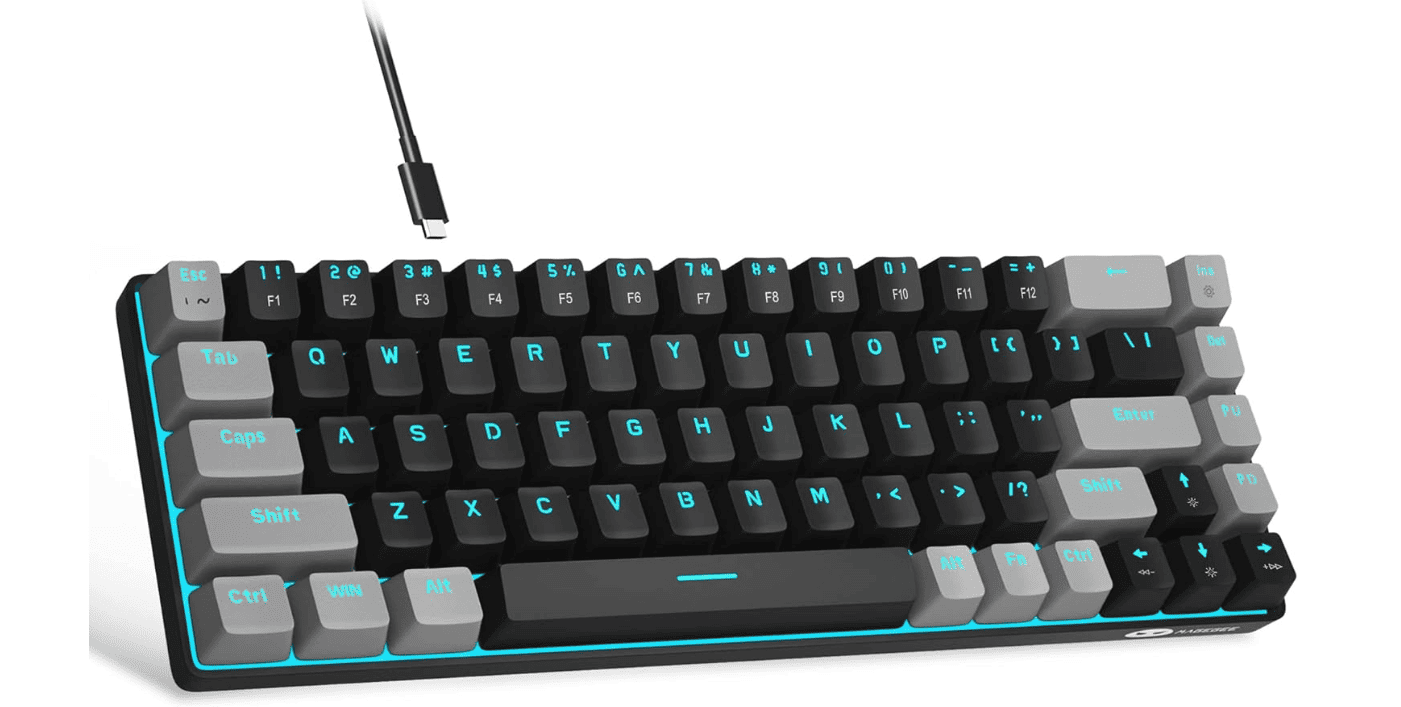
Mechanical keyboards are famous for their satisfying feel and sound — but not everyone wants a loud, clicky typing experience. Whether you’re working in an office, gaming late at night, or sharing a space, quiet mechanical keyboard switches can give you the tactile feel you love without disturbing everyone around you.
In this guide, we’ll break down:
- What makes a switch quiet
- The quietest linear, tactile, and silent switches
- Prebuilt vs hot-swappable considerations
- Tips to make any keyboard quieter
What Makes a Mechanical Switch Quiet?
Mechanical switches create noise from three main sources:
- Bottoming out (key hitting the base)
- Top-out sound (key returning up)
- Spring and housing noise
“Silent” switches reduce sound using internal dampeners, typically small silicone or rubber pads built into the stem to cushion impact.
There are three general switch types:
- Linear – Smooth and quietest overall
- Tactile – Noticeable bump, slightly louder
- Clicky – Loud click mechanism (avoid if you want quiet)
If silence is your goal, avoid clicky switches entirely.
Quietest Linear Switches
Linear switches are typically the quietest category because they lack tactile bumps or click mechanisms.
1. Cherry MX Silent Red
Type: Silent Linear
Actuation Force: 45g
Why it’s quiet: Integrated rubber dampeners
Cherry MX Silent Red is one of the most well-known silent switches. It significantly reduces bottom-out and top-out noise compared to standard Reds.
✅ Reliable
✅ Widely available
✅ Great for offices
Downside: Some users find them slightly “mushy” due to dampening.
2. Gateron Silent Red
Type: Silent Linear
Actuation Force: 45g
Often smoother than Cherry’s version, Gateron Silent Reds are a popular budget-friendly alternative.
✅ Very smooth keystroke
✅ Affordable
✅ Good for gaming and typing
They’re commonly found in prebuilt keyboards and hot-swappable boards.
3. Durock Silent Linear (Dolphin / Daybreak)
Type: Silent Linear
Why enthusiasts love them: Premium smoothness
These are among the quietest enthusiast-level switches available. They offer:
- Deep, muted sound profile
- Smooth travel
- High-quality housings
Perfect for custom builds where silence and feel both matter.
4. ZealPC Healios
Type: Silent Linear
Actuation Force: 63.5g
Healios switches are known for ultra-smooth operation and impressive sound dampening.
✅ Extremely quiet
✅ Premium feel
❌ Expensive
If budget isn’t a concern, these are among the quietest switches you can buy.
Quietest Tactile Switches
Tactile switches provide feedback but are slightly louder than linears. However, “silent tactiles” exist.
5. Boba U4 Silent Tactile
Type: Silent Tactile
Actuation Force: 62g or 68g
Widely regarded as one of the best silent tactile switches on the market.
✅ Strong, satisfying tactile bump
✅ Extremely quiet for a tactile
✅ Great for typing-heavy users
Many enthusiasts consider Boba U4 the gold standard for quiet tactile switches.
6. Cherry MX Silent Black
Type: Silent Linear (heavier)
Actuation Force: 60g
While technically linear, Silent Blacks are heavier and often preferred by heavy typists who want a quieter but firm feel.
Quietest Low-Profile Switches
If you prefer slim keyboards:
7. Kailh Choc Silent Switches
Low-profile silent options are less common, but Kailh offers quiet variants designed for compact builds.
These are ideal for:
- Portable setups
- Office environments
- Minimal desk space
Prebuilt Quiet Mechanical Keyboards
If you don’t want to build your own:
Look for keyboards featuring:
- Cherry MX Silent Red
- Gateron Silent switches
- Razer Yellow (relatively quiet linear)
- Logitech GX Red (quieter but not silent)
Brands often market them as:
- “Silent”
- “Whisper-quiet”
- “Office-friendly”
Always check the exact switch model before buying.
How to Make Any Mechanical Keyboard Quieter
Even if your switches aren’t “silent,” you can reduce noise significantly.
1. Add O-Rings
Small rubber rings placed on keycaps reduce bottom-out noise.
2. Lubricate Switches
Lubing reduces scratchiness and spring ping.
3. Use a Desk Mat
A thick desk mat absorbs vibration.
4. Foam Mod
Adding foam inside the keyboard case reduces echo and hollowness.
5. Tape Mod
A simple internal mod that can deepen and soften sound.
These mods can dramatically change the sound profile.
Quietest Switches by Category (Quick Comparison)
| Switch | Type | Noise Level | Best For |
|---|---|---|---|
| Cherry MX Silent Red | Linear | Very Quiet | Office work |
| Gateron Silent Red | Linear | Very Quiet | Budget builds |
| Durock Silent Linear | Linear | Extremely Quiet | Custom builds |
| ZealPC Healios | Linear | Extremely Quiet | Premium builds |
| Boba U4 | Tactile | Very Quiet | Typing enthusiasts |
Are Silent Switches Worth It?
Yes — if:
- You share a workspace
- You work remotely around others
- You game at night
- You record audio or stream
No — if:
- You love loud, clicky feedback
- You prioritize crisp tactile sound
Silent switches trade a bit of “sharpness” in feel for dramatic noise reduction.
Final Verdict: What’s the Quietest Mechanical Switch?
If you want the absolute quietest experience:
- Best Silent Linear: Durock Silent Linear or ZealPC Healios
- Best Silent Tactile: Boba U4
- Best Budget Option: Gateron Silent Red
For most people, a keyboard with Gateron or Cherry Silent Reds plus a desk mat will be more than quiet enough for daily use.