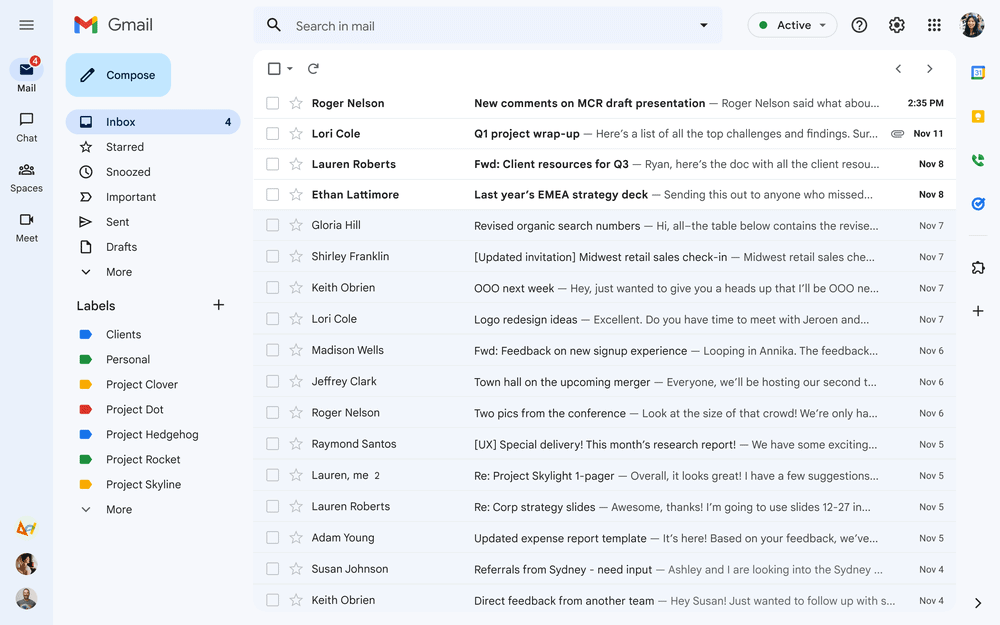
If your email inbox is overflowing and causing you stress and hindering your productivity, you might want to consider email bankruptcy. This approach can help you regain control of your inbox and free up valuable time and mental energy. Instead of feeling guilty about unread messages, you can archive or delete them all. This gives you a fresh start and allows you to focus on new and important emails.
Unsubscribing from unwanted newsletters is another important step to stop more clutter from coming in. Setting rules for spam and unimportant emails to keep your inbox organized is also essential. You can create simple rules, use filters to automatically sort emails into folders, mark urgent emails, and archive anything less important. These strategies can help you maintain a clean slate and keep your inbox under control, making your digital life much easier.
Email Bankruptcy
If your email inbox feels more like a chaotic junkyard than an organized workspace, you’re not alone. Thousands of people struggle daily with overflowing inboxes, unread messages, and the anxiety of trying to catch up. When the backlog becomes overwhelming, traditional methods like sorting or unsubscribing may not be enough. This is where email bankruptcy comes in — a bold but effective strategy to reclaim control.
What is Email Bankruptcy?
Email bankruptcy is the deliberate decision to acknowledge that your inbox is unmanageable and to start fresh by deleting or archiving all unread or unimportant emails. It’s like hitting the reset button on your email life. Instead of trying to respond to every old message, you focus only on new incoming emails and important communications going forward.
Why Consider Email Bankruptcy?
- Overwhelming backlog: Hundreds or thousands of unread emails can cause stress and reduce productivity.
- Lost important messages: Important emails get buried and overlooked.
- Inefficient email management: Spending hours sorting through old emails is unproductive.
- Mental clutter: A cluttered inbox can increase anxiety and decrease focus.
When Should You Declare Email Bankruptcy?
- Your unread email count is in the hundreds or thousands and growing.
- You’ve tried other organizational methods (filters, folders, unsubscribing) without success.
- You feel paralyzed by the volume of emails and avoid checking your inbox.
- You want to regain control quickly and reduce email-related stress.
How to Declare Email Bankruptcy: Step-by-Step
1. Inform Your Contacts
Send a brief, polite message to your key contacts explaining you’re clearing your inbox and encourage them to resend important messages if needed.
Example:
“Hi, I’m currently clearing out my inbox and may have missed your email. Please feel free to resend any urgent messages. Thanks for understanding!”
2. Backup Important Emails
If you have critical emails, archive or save them before the purge.
3. Delete or Archive Old Emails
- Use your email client’s bulk select feature to delete or archive all unread or old emails.
- Consider deleting everything older than a certain date (e.g., 3 months).
4. Set Up Filters and Folders
Create rules to automatically sort incoming emails to reduce future clutter.
5. Unsubscribe Ruthlessly
Unsubscribe from newsletters and promotional emails you no longer read.
6. Commit to a New Email Routine
- Check your email at scheduled times.
- Respond only to relevant and recent emails.
- Use inbox zero or similar methods to maintain control.
Benefits of Email Bankruptcy
- Instant relief from email overload.
- Improved focus on current and important messages.
- Reduced stress and anxiety.
- A fresh start with better email habits.
Potential Downsides and How to Mitigate Them
- Missing important emails: Mitigate by informing contacts and encouraging resends.
- Temporary loss of email history: Backup critical emails beforehand.
- Initial discomfort: Accept that email bankruptcy is a temporary reset for long-term gain.
Final Thoughts
Email bankruptcy may sound drastic, but for many overwhelmed inbox owners, it’s the easiest and fastest way to reclaim control. By accepting that you can’t catch up on everything and focusing on what matters now, you free yourself from the burden of an unmanageable inbox.
If your email feels like a never-ending mountain, consider declaring email bankruptcy — it might just be the fresh start you need.
Sources:
- Android Police: How to declare email bankruptcy
- Get Organized HQ: Too Many Emails? How to Declare Email Bankruptcy
- Full Focus: Declare Email Bankruptcy and Get a Fresh Start
A Fresh Start for Your Inbox: Email Bankruptcy
What is Email Bankruptcy?
Imagine hitting the reset button on your inbox. That’s the idea behind email bankruptcy. You declare your current state of email overwhelm, then take decisive steps to clear the clutter. This could mean deleting thousands of unread messages, unsubscribing from unwanted lists, or creating a new email address for important contacts.
Benefits of Email Bankruptcy
Email bankruptcy offers several advantages. It reduces stress and anxiety from an overflowing inbox. It also frees up mental space and improves productivity. You won’t waste time sifting through irrelevant emails.
How to Declare Email Bankruptcy
- Assess Your Inbox: Get a handle on the volume and types of emails overwhelming you.
- Unsubscribe: Go through your inbox and unsubscribe from newsletters and promotional emails you no longer want.
- Create Filters: Set up filters to automatically sort incoming emails into folders. This will help you quickly identify important messages.
- Set Boundaries: Decide how you’ll handle email in the future. Consider setting specific times to check email, disabling notifications, or using tools to limit distractions.
- Communicate Your Intentions: If you’re declaring email bankruptcy, let people know. Set up an auto-responder to explain that you’re clearing out your inbox and may not respond to old messages.
When to Declare Email Bankruptcy
Consider email bankruptcy if:
- Your inbox is overflowing with thousands of unread emails.
- You feel overwhelmed and stressed by the sheer volume of emails.
- You’re spending too much time managing email instead of focusing on other tasks.
Alternatives to Email Bankruptcy
If email bankruptcy seems too drastic, there are other options. You can use inbox management tools to help you organize and prioritize emails. You can also try setting up stricter filters and rules to reduce the clutter.
Email Bankruptcy: Not a One-Time Fix
Remember, email bankruptcy is not a one-time fix. It’s an ongoing process. You’ll need to continue to be vigilant about managing your inbox to prevent it from becoming overwhelmed again.
Key Takeaways
- Email bankruptcy can save a cluttered inbox
- Unsubscribing stops unwanted mail from coming in
- Use filters and rules to keep your inbox organized
Strategies for Achieving Inbox Zero
Effectively managing an email inbox involves mastering settings and filters, archiving emails, maintaining organization, and proactively reducing email volume. Here are specific steps to achieve a clean inbox.
Mastering Your Email Settings and Filters
Start by adjusting email settings and filters. Email clients like Gmail and Outlook offer tools to automatically sort incoming messages. Set up filters to sort emails into different folders or labels. For instance, filter emails from colleagues into one folder, newsletters into another, and spam elsewhere. This keeps important emails at the forefront.
Utilize search functions to find and filter unread messages. Create rules to mark certain emails as read or send them straight to an archive folder. Efficient filtering saves time and reduces clutter.
The Art of Archiving Emails
Archiving emails helps keep your inbox clean without losing important messages. Use the archiving function available in most email clients. Archiving moves emails to a separate storage area but keeps them accessible via search.
Set aside time daily or weekly to archive emails that you don’t need right away. This practice keeps your inbox from becoming overwhelming. Create an archive folder for project-specific emails or old conversations with contacts. Archiving helps focus only on current tasks.
Maintaining a Clean and Organized Inbox
Regularly declutter your inbox by deleting or archiving old messages. Rules such as “unread for over a month” can help decide what to get rid of. Use labels or folders to categorize emails by topic, priority, or sender. Group emails from contacts or different projects separately for quick access.
Unsubscribing from unwanted email lists or notifications will reduce incoming clutter. Keep a routine to review and clean your inbox weekly or monthly. This steady maintenance keeps your email space manageable and organized.
Reducing Email Volume Proactively
Proactively reduce email volume by unsubscribing from newsletters and marketing emails. Services like Unroll.Me help manage subscriptions. Filter notifications from social media or other less urgent sources directly to a separate folder.
Set expectations with your contacts about response times or preferred methods of communication. For instance, suggest project management tools or messaging apps for collaborative work instead of email. Reduce non-essential emails to focus on what matters most.
Frequently Asked Questions
Clear strategies can help maintain an organized email inbox and prevent it from becoming unmanageable. Declaring email bankruptcy, if done responsibly, can offer a fresh start.
What steps should be taken to achieve and maintain an organized email inbox?
Start by regularly deleting or archiving emails that are no longer needed. Create folders or labels to sort important messages. Set up rules or filters to automatically categorize incoming mail.
What are the best practices for implementing the Inbox Zero strategy?
Check email at set times each day rather than constantly. Respond immediately to emails that can be answered quickly and delegate or defer others. Archive or delete messages that do not require a response.
How does one effectively manage a full email inbox to avoid it becoming unmanageable?
Daily email management is key. Unsubscribe from unnecessary newsletters. Use email rules to sort mail into folders automatically. Regularly review and clean out old messages.
What are the consequences of not addressing an overloaded email inbox?
An overloaded inbox can result in missed important messages. It can also make it hard to find specific emails. This can lead to stress and reduced productivity.
How can an individual declare email bankruptcy responsibly and start afresh?
Move all old emails to an archive folder. Inform important contacts about the change and ask them to resend crucial messages. From now on, manage the inbox daily to prevent overload.
What tools or services are recommended for maintaining email organization and preventing inbox overload?
Email services like Gmail, Outlook, and Yahoo Mail offer built-in tools for archiving and filtering. Third-party tools like Clean Email and SaneBox can help automate cleanup and filter spam.