Keeping your Huawei P9 Lite 2017 in good condition ensures it runs smoothly, and the battery is a critical part of this. Over time, the battery may start to wear out, affecting your phone’s performance. Replacing the battery can restore your phone’s battery life and provide a noticeable improvement in daily usage.
Before starting the replacement, gather the necessary tools like a spudger and new adhesive strips. Handle the battery carefully to avoid bending it and ensure not to damage the display flex cable underneath it. This process might seem challenging, but with patience and the right tools, it is achievable.
Many users find video guides helpful, offering step-by-step instructions. These visual aids can make the process easier to understand and follow. If you’re uncomfortable doing it yourself, consider seeking professional assistance to avoid any potential damage.
Huawei P9 Lite 2017 Battery Replacement Guide
If your Huawei P9 Lite 2017 is showing signs of battery degradation like short battery life, unexpected shutdowns, or charging issues, replacing the battery can restore its performance. This guide will walk you through safely replacing your phone’s battery.
What You’ll Need
- Replacement battery compatible with Huawei P9 Lite 2017
- Small Phillips screwdriver (#00)
- Plastic opening tools or spudger
- Tweezers
- Suction cup
- SIM card ejector tool or paperclip
- Adhesive strips (optional, for resealing)
- Anti-static wrist strap (recommended)
Important Notes
- Back up your data before starting.
- Power off your phone completely.
- Work slowly and carefully to avoid damaging components.
- Use plastic tools to prevent scratches or electrical shorts.
Step-by-Step Battery Replacement
1. Power Off the Phone
- Hold the power button and select Power Off.
- Wait until the device is completely off.
2. Remove SIM Card Tray
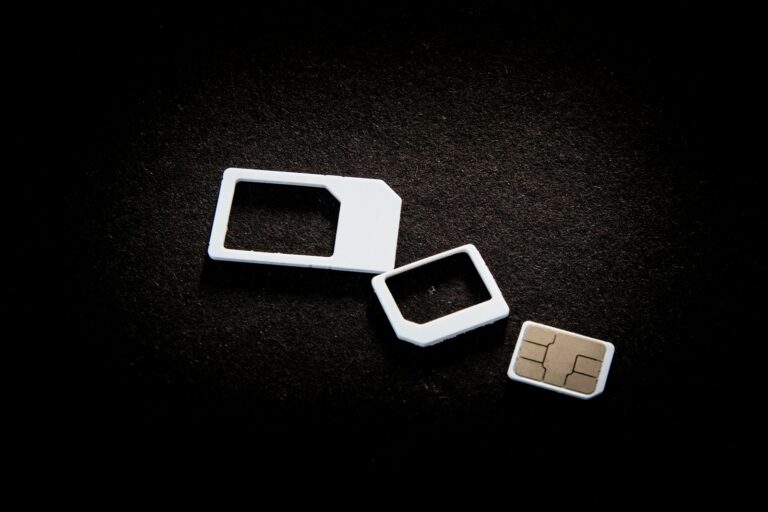
- Use the SIM ejector tool to remove the SIM card tray.
3. Remove the Back Cover
- The back cover is glued and requires careful prying.
- Use a heat gun or hairdryer to gently warm the edges of the back cover to soften the adhesive.
- Place a suction cup near the bottom of the back cover and gently pull to create a gap.
- Insert a plastic opening tool or spudger into the gap.
- Carefully slide the tool around the edges to separate the back cover from the frame.
- Take your time to avoid cracking the glass or damaging clips.
4. Disconnect the Battery Connector
- Locate the battery connector on the motherboard.
- Use a plastic tool to gently pry up the connector and disconnect it.
5. Remove the Battery
- The battery is glued to the frame.
- Use a plastic card or spudger to carefully pry the battery up.
- Avoid bending or puncturing the battery.
6. Insert the New Battery
- Place the new battery in the battery slot.
- Reconnect the battery connector to the motherboard.
7. Reattach the Back Cover
- If needed, apply new adhesive strips around the edges.
- Carefully align and press the back cover onto the phone frame until it snaps in place.
8. Reinsert the SIM Card Tray
- Push the SIM card tray back into place.
9. Power On and Test
- Turn on your Huawei P9 Lite 2017.
- Check that the new battery is recognized and charging properly.
Tips and Precautions
- Dispose of the old battery properly at a recycling center.
- If you notice swelling or damage on the old battery, handle with extra care.
- If the phone doesn’t power on after replacement, double-check the battery connector.
Conclusion
Replacing the battery on your Huawei P9 Lite 2017 can significantly improve battery life and device performance. By following this guide carefully, you can complete the replacement yourself safely. If you’re unsure or uncomfortable with the process, consider professional repair services.
Huawei P9 Lite 2017 Battery Replacement: A Step-by-Step Guide
Tools and Materials Needed:
- Replacement Huawei P9 Lite 2017 Battery: Ensure it’s compatible with your model.
- Heat Gun or Hair Dryer: To soften the adhesive.
- Suction Cup: To lift the back cover.
- Plastic Opening Tools or Picks: To pry open the phone and disconnect components.
- Phillips #00 Screwdriver: For removing screws.
- Tweezers: For handling small parts.
- Isopropyl Alcohol and Cotton Swabs: For cleaning residue.
- New Adhesive Strips or Double-Sided Tape: To secure the new battery.
Step-by-Step Instructions:
- Power Off: Turn off your Huawei P9 Lite 2017 completely.
- Remove SIM Tray: Use the SIM eject tool or a paperclip to eject the SIM card tray.
- Heat Back Cover: Apply heat to the edges of the back cover using a heat gun or hair dryer to soften the adhesive.
- Lift Back Cover: Carefully insert a suction cup near the bottom of the back cover and gently pull upwards. Insert a plastic opening tool or pick into the gap and slide it along the edges to loosen the adhesive.
- Disconnect Fingerprint Sensor: Carefully disconnect the fingerprint sensor cable using a plastic tool.
- Remove Screws: Remove the Phillips #00 screws securing the metal shield plate covering the battery connector.
- Disconnect Battery Connector: Gently pry up the battery connector using a plastic tool to disconnect the battery.
- Remove Old Battery: Carefully pry the old battery out of the phone using a plastic tool. Avoid bending or puncturing the battery.
- Clean Adhesive Residue: Use isopropyl alcohol and cotton swabs to clean any adhesive residue from the phone’s frame.
- Apply New Adhesive: Apply new adhesive strips or double-sided tape to the phone’s frame where the battery will sit.
- Insert New Battery: Carefully insert the new battery into the phone, ensuring it aligns with the connector.
- Reconnect Battery Connector: Press the battery connector back into place to secure it.
- Replace Shield Plate and Screws: Replace the metal shield plate and secure it with the Phillips #00 screws.
- Reconnect Fingerprint Sensor: Reconnect the fingerprint sensor cable.
- Reattach Back Cover: Press the back cover firmly back into place, ensuring it clicks securely along all edges.
- Power On: Turn on your Huawei P9 Lite 2017 and verify that the new battery is working properly.
Important Safety Notes:
- Work in a well-lit and clean area.
- Use caution when handling sharp tools and electronic components.
- Avoid bending or puncturing the battery.
- If you’re unsure about any step, consult a professional technician.
Key Takeaways
- Replacing the battery can improve your phone’s performance.
- Gather the necessary tools and handle components carefully.
- Consider professional help if unsure about doing it yourself.
Preparing for the Battery Replacement
Ensuring the replacement process is successful involves examining the phone’s condition, gathering the required tools, and taking safety precautions to avoid damage or voiding the warranty.
Assessing the Condition of Your Huawei P9 Lite 2017
Check your Huawei P9 Lite 2017 for any external damage. Look for cracks or signs of wear on the display and back cover. These might complicate the replacement process.
Inspect the phone’s performance. If the battery drains quickly, it might need immediate replacement.
Backup important data. Battery replacement may impact data if not handled properly.
Required Tools and Materials
Here’s a list of tools and materials you’ll need:
- Phillips #00 screwdriver: For removing tiny screws.
- Spudger: To gently pry parts apart.
- Suction handle: Helps lift the display without breaking it.
- iOpener or heat gun: Softens adhesive around the battery.
- Opening pick: For prying open tight spots.
- Tesa 61395 Tape, Double-Sided Tape, or Pre-Cut Adhesive Strips: Necessary for reassembling the phone.
- Replacement battery: Ensure it’s compatible with Huawei P9 Lite 2017.
Gathering these ahead of time ensures a smooth replacement process.
Safety Precautions and Warranty Implications
Turn off the phone before starting. Disconnect it from any power sources. This prevents short circuits.
Handle the battery with care. Avoid bending or puncturing it as this can cause fire or injury. Use the spudger gently to avoid damaging internal parts.
Be aware of warranty implications. Replacing the battery yourself may void the manufacturer’s warranty. Check your warranty terms before starting. Safety and warranty information are crucial to a fault-free replacement.
Following these steps prepares you well for replacing the Huawei P9 Lite 2017 battery efficiently.
Frequently Asked Questions
This section answers common questions about replacing the battery of a Huawei P9 Lite 2017. It covers the steps, costs, tools needed, and more.
How can the battery of a Huawei P9 Lite 2017 be replaced?
To replace the battery, start by turning off the phone and removing the SIM card tray. Use a spudger to pry open the back cover. Remove screws and disconnect the battery connector. Carefully remove the old battery and install the new one, ensuring not to damage the display flex cable.
Where can one purchase a replacement battery for the Huawei P9 Lite 2017?
Replacement batteries are available from various online retailers such as Amazon, eBay, and specialized electronics stores. It’s important to purchase from reputable sellers to ensure you get a high-quality and compatible battery.
What is the estimated cost for replacing a Huawei P9 Lite 2017 battery?
The cost of a replacement battery for the Huawei P9 Lite 2017 typically ranges from $10 to $30. If you opt for professional repair services, the total cost may increase to around $50 to $70, including labor fees.
Are there specific tools required for Huawei P9 Lite 2017 battery replacement?
Yes, specific tools are needed. These include a spudger, Phillips screwdriver, tweezers, and double-sided tape or adhesive strips. A heat gun or hairdryer can also help loosen adhesive.
How long is the expected lifespan of a Huawei P9 Lite 2017 battery?
The battery lifespan of the Huawei P9 Lite 2017 is typically around 2-3 years, depending on usage patterns. Proper care and avoiding overcharging can extend its life.
Is it possible to replace the Huawei P9 Lite 2017 battery at home, and if so, how?
Yes, it is possible to replace the battery at home. Follow a step-by-step guide or video tutorial. Ensure you have the necessary tools and adhere to safety precautions to avoid damaging the device.