If the screen on your Apple device is broken, there are official repair options available at Apple Stores or authorized service providers. These services use genuine Apple parts and certified technicians to ensure a quality repair. The costs and options for repair vary based on your service plan and the extent of the damage. In addition to official repairs, there are also DIY solutions available, though they may not be suitable for everyone.
Apple offers different service options, including in-store repair or mail-in services, to meet the diverse needs of customers. Furthermore, AppleCare+ can offer additional coverage for screen repairs at a reduced cost. It’s important to assess your needs and budget in order to choose the best repair option for your broken Apple screen.
Apple Screen Repair Guide
A cracked or damaged screen is one of the most common issues with Apple devices like iPhones, iPads, and MacBooks. This guide will help you understand your repair options, whether to DIY or seek professional service, and how to get your device back in top shape.
1. Identify Your Device and Screen Issue
- Determine the exact model of your Apple device.
- Assess the damage: cracked glass, unresponsive touch, display issues, or a combination.
- Check if your device is under warranty or covered by AppleCare+.
2. Apple-Certified Repair Options
Apple Store or Authorized Service Provider
- Pros: Genuine Apple parts, expert technicians, warranty protection.
- Cons: Can be costly if out of warranty.
- How to proceed:
- Visit Apple Support to book an appointment.
- Apple offers mail-in repair options if you cannot visit a store.
Apple Self Service Repair
- Intended for experienced users.
- Apple provides genuine parts, tools, and manuals.
- Visit Apple Self Service Repair for details.
3. Third-Party Repair Services
- Often cheaper and faster than Apple.
- Risk of non-genuine parts and warranty void.
- Choose reputable repair shops with good reviews.
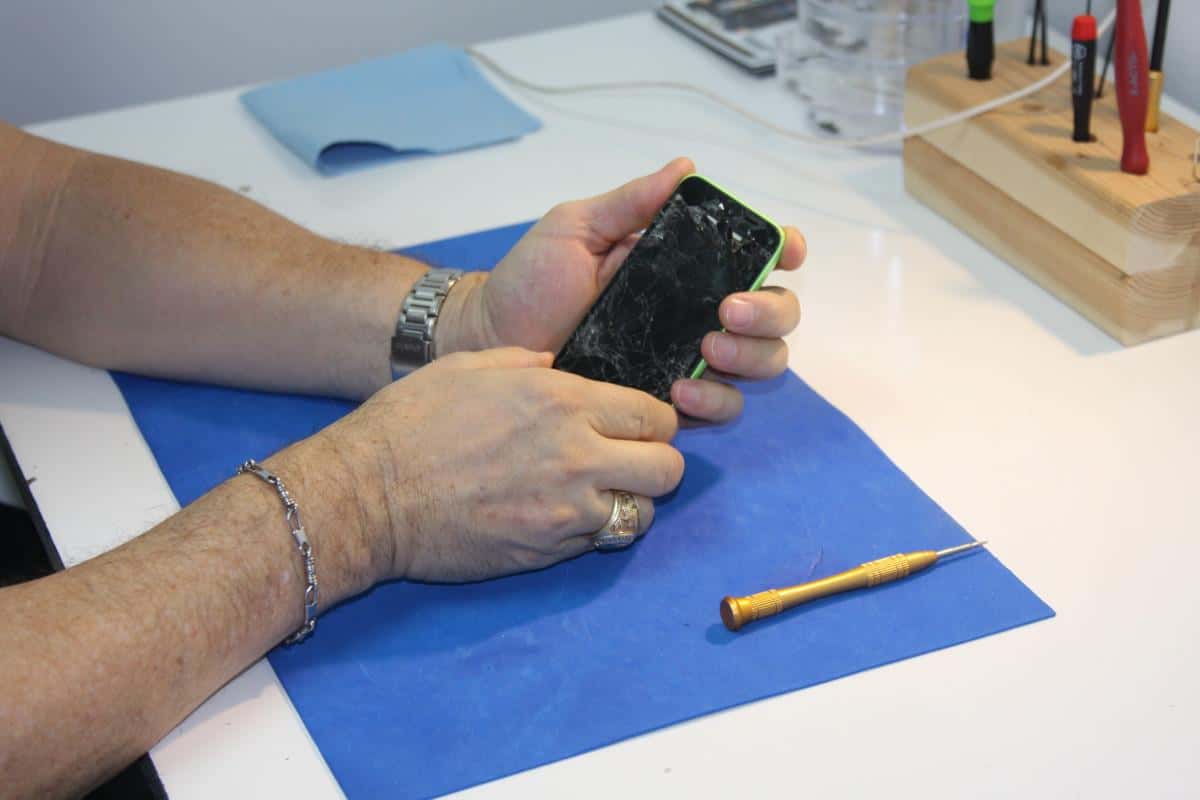
4. DIY Screen Repair
What You Need
- Replacement screen compatible with your device.
- Repair toolkit (screwdrivers, spudgers, suction cups, tweezers).
- Patience and a clean workspace.
- Repair guide or video tutorial specific to your device model.
General Steps
- Power off your device.
- Remove screws securing the screen or back cover.
- Use suction cups and spudgers to carefully separate the screen from the frame.
- Disconnect cables carefully (display, digitizer, home button, etc.).
- Remove the broken screen.
- Install the new screen by reconnecting cables and securing screws.
- Power on and test functionality before sealing the device.
Note: Screen repair complexity varies by device model.
5. Cost Considerations
- Apple screen repair costs vary by model and warranty status.
- Out-of-warranty repairs can range from $129 (older iPhones) to $399+ (latest models).
- Third-party repairs may cost less but verify quality.
6. Prevent Future Screen Damage
- Use a durable screen protector.
- Invest in a protective case.
- Avoid dropping or exposing your device to extreme conditions.
Summary
Whether you choose Apple’s professional repair, a trusted third-party service, or a DIY approach, understanding your options is key to a successful screen repair. Always weigh cost, quality, and warranty implications before proceeding.
Fixing Your Apple Screen: A Guide
Apple Authorized Repair
| Option | Description | Cost | Pros | Cons |
|---|---|---|---|---|
| Apple Store | In-person repair at an Apple Store or authorized service provider. | Varies depending on model and damage. | Expertise, genuine parts, warranty on repair. | Appointment needed, can be expensive. |
| Apple Mail-In Repair | Send your device to Apple for repair. | Varies depending on model and damage. | Convenient, genuine parts, warranty on repair. | Longer turnaround time. |
| AppleCare+ | Extended warranty with accidental damage coverage for a service fee. | Varies depending on plan. | Reduced repair cost, priority support. | Requires additional purchase, limited incidents per year. |
Self-Service Repair
| Option | Description | Cost | Pros | Cons |
|---|---|---|---|---|
| DIY Repair | Use Apple’s Self Service Repair program to order genuine parts and tools. | Varies depending on parts and tools. | Save money, learn new skills. | Requires technical knowledge, voids warranty if done incorrectly. |
| Third-Party Repair | Take your device to a non-Apple repair shop. | Varies. | Can be cheaper than Apple, faster turnaround. | Risk of non-genuine parts, may void warranty. |
Important Considerations
- Warranty: Check if your device is still under warranty, as this may cover repairs.
- Back Up Data: Always back up your data before any repair.
- Cost vs. Convenience: Weigh the cost of repair against the convenience of different options.
- Data Security: Choose reputable repair providers to protect your data.
Additional Tips
- Research repair options and prices before deciding.
- Ask for an estimate before starting any repairs.
- Inquire about warranties on parts and labor.
- Check online reviews for third-party repair shops.
Key Takeaways
- Apple’s official repair services use certified technicians and genuine parts.
- Costs and service options for screen repair vary with each customer’s situation.
- Post-repair care guidelines help ensure the longevity of the screen repair.
Apple Screen Repair Services
Apple provides several avenues to facilitate screen repairs for its devices, ensuring that whether you approach an official provider or opt for an independent repair service, there are options available to suit your needs.
Authorized Repair Options
When it comes to Apple screen repairs, using an Apple Authorized Service Provider (AASP) or visiting an Apple Store and meeting with a Genius is a reliable choice. These providers have been given Apple’s stamp of approval to carry out repairs on their behalf, including screen replacements. To get started, you can send your iPhone in for repair or schedule a visit. If you have AppleCare+, which covers two incidents of accidental damage every 12 months, service fees may be significantly reduced. Nonetheless, a service fee, tax, and possibly a shipping fee are typically applicable.
Independent and Self-Service Repairs
Options for screen repairs extend beyond Apple’s authorized network. Independent repair providers, such as uBreakiFix, offer same-day service similar to that of the Apple Store. Furthermore, for those experienced with electronic device repair, Apple has introduced Self Service Repair. This program allows you to buy genuine Apple parts and rent tools, guided by Apple’s own repair manuals. The process maintains the warranty if your iPhone is still covered. However, a consumer must understand that performing a self-service repair carries the risk of additional damage if not done properly.
Understanding Repair Costs
Repair costs can vary depending on the model of the iPhone and whether the repair is in or out-of-warranty. The price can also differ based on who services the device. Apple’s Get an Estimate tool provides a straightforward way to foresee expected costs directly from Apple. The estimate typically does not include potential taxes and shipping fees. Prices for additional damage beyond the screen may result in higher charges. It’s important to note that if your product is still under warranty or covered by consumer law, there may be no cost. However, non-warranty service is usually subject to a fee, potentially including the full replacement value of the iPhone depending on the extent of damage.
Repair Procedures and Aftercare
When an iPhone screen breaks, it’s important to follow the correct steps for repair and understand how to get continued support. Proper aftercare can ensure your device operates like new.
Screen Replacement Process
For a damaged iPhone screen, the replacement should be handled by a professional repair provider to maintain the integrity of the device. Genuine Apple parts are critical for a screen replacement to ensure the full functionality of your iPhone. When replacing the screen of an iPhone, for example, an iPhone 13 or iPhone 12, the provider may conduct a diagnostic exam to evaluate the full extent of damage. The repair consists of removing the damaged screen and installing a new one, which may include both the glass and LCD components.
Warranty and Support
Post-repair, your iPhone will likely be covered by a 90-day service guarantee or the remaining period of your Apple warranty or AppleCare+ plan, whichever is longer. Apple provides a 1-year warranty on all hardware repairs, which is an added relief for hardware issues like battery and water damage. Ensure you discuss the warranty details with an Apple Support Advisor or certified technician before the repair.
- Apple Limited Warranty: Typically 1 year from the date of purchase.
- AppleCare+: Extended service plan, it includes two incidents of accidental damage protection every 12 months, each subject to a service fee.
Handling Common Repair Issues
After a screen replacement, you may encounter common issues such as touch sensitivity problems or unresponsive pixels. For such issues:
- Contact Apple Support or revisit your service provider for a follow-up.
- Check if the issue might be covered under the service guarantee or AppleCare+.
- For out-of-warranty problems, consider the Apple Self Service Repair program, which provides genuine Apple parts and repair manuals for users comfortable with performing their own repairs.
Keep in mind, handling high-value devices like Mac computers or iPhones should be done with consistent care to avoid the need for additional repairs. Always use genuine Apple parts and services to extend the lifespan of your device.
Frequently Asked Questions
When dealing with a damaged iPhone screen, it’s natural to have questions about the repair process and costs involved. This section aims to address those inquiries with clear and accurate information.
How much is typically charged for repairing an iPhone screen?
Repair costs for iPhone screens vary depending on the model and where the service is done. Authorized Apple service providers may charge differently, but additional costs apply if the iPhone requires further servicing beyond the screen repair.
Where can I find authorized iPhone screen repair services close to my location?
To locate authorized iPhone screen repair services nearby, one can visit the Apple Support website and use the service center locator tool. This tool helps you find certified technicians who use genuine Apple parts for repairs.
What is the price range for iPhone 11 screen replacement services?
The price range for iPhone 11 screen replacement services can differ. If opted for through an Apple authorized service provider, it may be less expensive than third-party repair services. It’s suggested to check with Apple’s pricing or get a quote from the chosen service provider.
Can I have my iPhone screen replaced at no cost under AppleCare coverage?
iPhones covered by AppleCare+ may have screen replacements done at a reduced fee or sometimes at no additional cost, especially if the screen damage is covered under the warranty terms.
Is repairing an iPhone screen financially worthwhile compared to buying a new device?
Repairing an iPhone screen can often be more cost-effective compared to the expense of purchasing a new device. Before making a decision, it’s good to consider the repair cost in relation to the current value of the iPhone.
What are the conditions for Apple to replace my iPhone screen for free?
Apple may replace an iPhone screen for free if it’s under warranty and the damage falls within their coverage terms. For instance, if the product’s battery holds less than 80% of its original capacity or if there are other manufacturing defects, AppleCare+ might cover the repair at no additional charge.