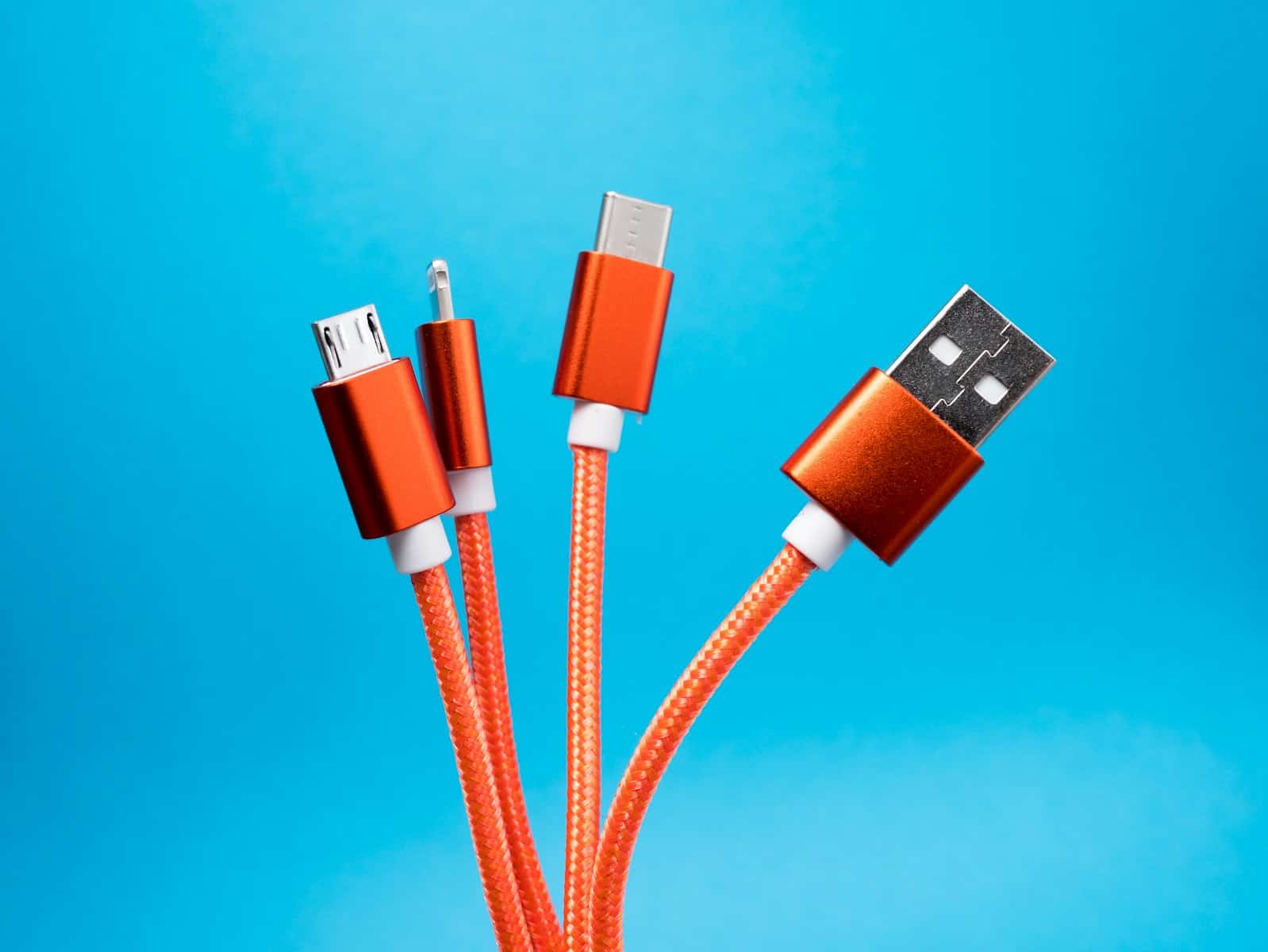
Charging cables power the devices we rely on so they’re very important, but unfortunately some can wear out and/or break quickly. There are three common types: USB-C, Lightning, and Micro USB. Each type has its own design, compatibility, and lifespan. USB-C is known for its fast transfer speeds and reversible design, making it increasingly popular in the tech industry. Lightning cables, exclusive to Apple devices, offer stable performance but have generally slower data transfer rates. Micro USB, once standard for many devices, is now less common but still widely used for a variety of electronics.
One of the key considerations when choosing a charging cable is its durability. A cable’s lifespan can be affected by several factors, including build quality, frequency of use, and charging conditions. Materials also play a significant role; for instance, some cables have a nylon braided exterior for extra strength. Reliable charging cables that can withstand daily wear and tear are crucial for consumers who depend on their devices to stay connected.
How Long Will Your Charging Cable Last?
Charging cables don’t last forever. Daily bending, heat, and poor‑quality materials can cause them to fail much sooner than expected. This guide explains how long different charging cable types typically last, what affects their lifespan, and how to make them last longer.
Average Lifespan of Charging Cables
| Cable Type | Typical Lifespan | Notes |
|---|---|---|
| USB‑A to Micro‑USB | 6–12 months | Older standard, prone to wear |
| USB‑A to Lightning | 1–2 years | Apple‑certified cables last longer |
| USB‑C to Lightning | 1–3 years | Faster charging, more durable |
| USB‑C to USB‑C | 2–4 years | Most durable modern option |
| Magnetic charging cables | 6–18 months | Connectors wear faster |
| Wireless charging pads | 3–5 years | No cable strain, longer lifespan |
✅ Premium, braided cables often last 1–2 years longer than basic rubber cables.
Cable‑by‑Cable Breakdown
1. Micro‑USB Cables
Lifespan: 6–12 months
Why they fail quickly:
- Asymmetrical design causes uneven wear
- Often bent or forced in incorrectly
✅ Best used as backup cables only.
2. Lightning Cables (iPhone)
Lifespan: 1–2 years
Factors affecting longevity:
- Frequent unplugging
- Non‑certified (non‑MFi) cables fail faster
✅ Apple‑certified (MFi) cables last significantly longer.
3. USB‑C to Lightning
Lifespan: 1–3 years
Why they last longer:
- Stronger connectors
- Designed for fast charging
✅ Less stress on the connector compared to older USB‑A cables.
4. USB‑C to USB‑C
Lifespan: 2–4 years
Most durable option
- Reversible connector
- Supports high‑wattage charging
- Common on modern phones, tablets, and laptops
✅ Ideal for long‑term use.
5. Magnetic Charging Cables
Lifespan: 6–18 months
Pros and cons:
- Easy to connect
- Reduces port wear
- Magnetic tips wear out faster
⚠️ Not ideal for fast charging or data transfer.
6. Wireless Charging Pads
Lifespan: 3–5 years
Why they last longer:
- No physical cable stress
- Fewer moving parts
⚠️ Charging speeds are slower and heat can reduce lifespan over time.
What Shortens Cable Lifespan?
- Bending near the connector
- Charging while using the phone
- Cheap, thin insulation
- Overheating
- Pulling the cable instead of the plug
Signs Your Charging Cable Is Failing
- Charging only works at certain angles
- Slow or inconsistent charging
- Device disconnects repeatedly
- Frayed or exposed wires
- Device not recognized by computer
Replace cables immediately if you see exposed wiring.
How to Make Charging Cables Last Longer
✅ Use braided or reinforced cables
✅ Unplug by holding the connector, not the cable
✅ Avoid charging while gaming or watching videos
✅ Keep cables away from heat and pets
✅ Store cables loosely, not tightly wrapped
Which Charging Cable Lasts the Longest?
Best overall: USB‑C to USB‑C (braided)
Best for iPhones: USB‑C to Lightning (MFi‑certified)
Best cable‑free option: Wireless charging pads
Final Thoughts
The lifespan of a charging cable depends on build quality, usage habits, and connector type. Spending a little more on a high‑quality cable can save money—and frustration—in the long run.
Cable Type Showdown
Let’s face it, charging cables aren’t invincible. Their lifespan hinges on the type, build quality, and how you use them. Here’s the lowdown on popular cable types:
| Cable Type | Lifespan | Durability | Pros | Cons |
|---|---|---|---|---|
| Standard Rubber | 6 months – 1 year | Low | Cheap, widely available | Prone to fraying, tangling, less durable |
| Braided Nylon | 1-3 years | Medium | Tangle-resistant, more durable than rubber | Can still fray with heavy use |
| Thermoplastic Elastomer (TPE) | 2-5 years | High | Flexible, durable, resistant to tangles and abrasion | More expensive than rubber or braided nylon |
| Reinforced | 3-7 years | Very High | Extra protection against bending and wear, often with kevlar | Most expensive option |
Factors Affecting Cable Lifespan
Bending and Twisting:
Excessive bending and twisting are the top cable killers. Avoid sharp angles and try not to wrap them too tightly.
Moisture and Heat:
Water and high temperatures can damage the internal wires. Keep your cables dry and away from direct sunlight or heat sources.
Pulling and Tugging:
Yanking the cable from your device or charger puts stress on the connector. Gently unplug it by holding the connector, not the cable.
Storing Cables:
Avoid leaving cables loose in bags or pockets where they can tangle and get damaged. Use a cable organizer or wrap them loosely.
Tips for Longer-Lasting Cables
- Buy Quality: Invest in cables from reputable brands with good build quality.
- Reinforce Connections: Apply a bit of heat-shrink tubing to the connector ends for extra protection.
- Regular Inspection: Check your cables periodically for fraying or damage. Replace them if needed.
- Proper Storage: Keep cables organized and avoid bending them excessively.
By following these tips and choosing durable cables, you can extend their lifespan and keep your devices charged safely.
Key Takeaways
- Different charging cables serve various devices with distinct speeds and designs.
- Durability is crucial as it dictates the lifespan and reliability of a charging cable.
- Consumers value charging cables that combine robust performance with longevity.
Design and Compatibility
Charging cables are the vital links between devices and power sources. This section covers the key elements that differentiate USB-C, Lightning, and Micro-USB cables, such as design nuances, compatibility ranges, and current industry transitions.
USB-C: Revolutionizing Connectivity
USB-C is a small, reversible connector that has revolutionized the way devices connect for charging and data transfer. Known formally as Type-C, it supports USB protocols including 2.0, 3.0, 3.1, and the latest USB 4 standard. The technology shines in its ability to provide fast charging through USB Power Delivery, which boosts electrical flow for quicker recharge. Devices from laptops to smartphones, including new MacBooks, have embraced USB-C for its broad compatibility and powerful capabilities.
Lightning Cables: Proprietary Design for Apple Devices
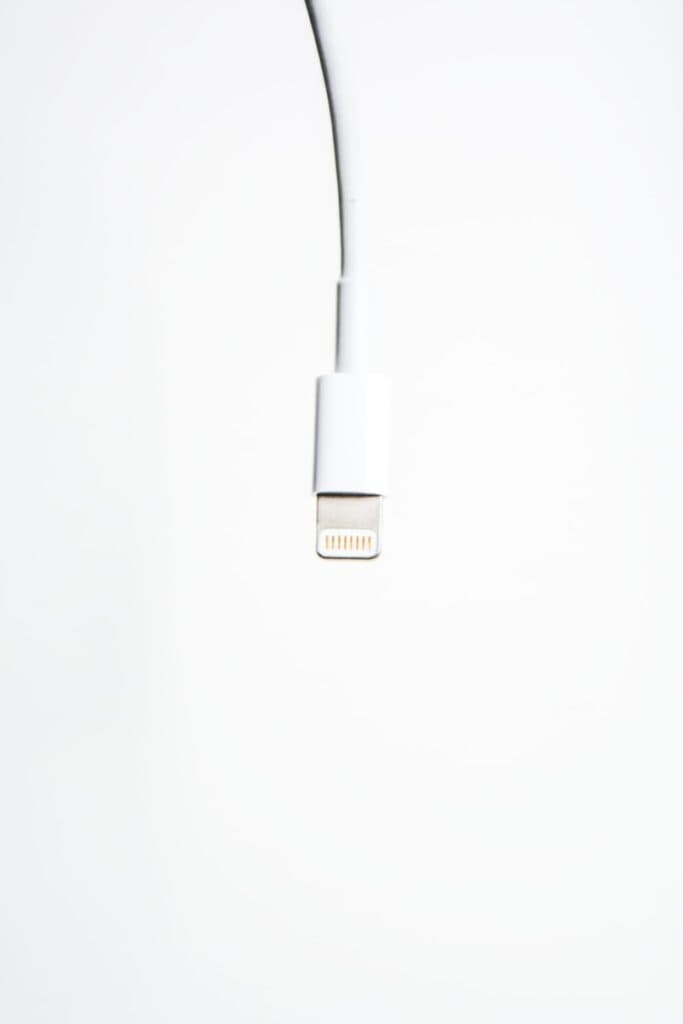
The Lightning connector is exclusive to Apple and found on iPhones, AirPods, and other iOS devices. It’s known for its slim design and can be inserted either way. Despite only working with Apple products, its design has helped users avoid confusion with other cable types. The Lightning port is not as fast as USB-C in terms of data transfer or charging, but it has maintained a strong presence in Apple’s ecosystem.
Micro-USB: The Universal Connector for Android Devices
Micro-USB was once the standard for Android phones, tablets, and other devices. It’s smaller than the previous USB-A but isn’t reversible, which can be less convenient. It has provided reliable power and data transfer for years. As technology progresses, however, many Android devices are moving towards USB-C.
Physical and Electrical Specifications
The size and shape of the connectors matter. USB-C and Micro-USB are oval and small, fit for modern, slim devices. They differ in their power delivery rates; USB-C can carry more power and thus charge devices faster. Electrical specs like current and voltage also define how quickly a device charges.
Adapting to New Standards: Transition from USB-A to USB-C
The shift from USB-A to USB-C reflects the tech industry’s move towards faster, more efficient connections. USB-A was once ubiquitous but lacked the speed and versatility of USB-C. As devices evolve, USB-C is becoming the standard for its higher power and faster data transfer rates.
EU Regulations and Global Standardization
In a move impacting global standards, the EU has pushed for a single type of charging cable, voting for a law requiring electronic devices to fit a standard USB-C port. This change aims to reduce waste and simplify charging for all types of electronic devices.
Compatibility with Devices and Accessories
Compatibility extends beyond charging phones. USB-C, Lightning, and Micro-USB must fit with various devices and accessories, including hard drives, cameras, and more. USB-C’s versatility has made it popular in recent tech design, making connections between different kinds of tech more seamless.
Intel’s Thunderbolt 3 Integration with USB-C
Thunderbolt 3, developed by Intel, combines with USB-C to enable high-speed connections to monitors, storage, and other high-performance devices. Thunderbolt 3 over USB-C delivers high data transfer rates and power, representing the peak of current cable technology.
Performance and Durability
In this section, we explore how charging cables stand up to daily use. We will look at speeds, toughness, how tech has changed, and what that means for power and data handling.
Charging Speeds and Data Transfer Rates
USB-C cables are faster than older types like micro USB. They handle up to 10 gigabits per second. This speed is key for quick charging and moving files fast.
Durability and Quality Assurance
High-quality cables last longer. Anker and Amazon Basics cables pass tough tests, meaning they are reliable for users. Materials and build matter for cable life.
The Evolution of USB Protocols and Their Impact
USB tech has grown a lot. Each version brought more speed. Now, USB-C is common for Android and iPhones. It offers fast charging and speedy data transfer.
Understanding Power Delivery and Fast Charging Capabilities
For fast charging, power delivery must be strong. USB Power Delivery helps with this. Devices can charge quickly and safely with the right cable and charger.
Data Transfer Rates: From USB 2.0 to USB 3.1 Gen 2
USB speeds have jumped from USB 2.0’s 480 Mbps to USB 3.1 Gen 2’s 10 Gbps. Faster data rates mean less time waiting for file transfers to complete.
Frequently Asked Questions
In this section, we answer some common questions about the life of different charging cables. Find out what affects their durability and how you can enhance their lifespan.
What factors influence the durability of USB-C cables?
The durability of USB-C cables often depends on the materials used and the frequency of use. High-quality cables may use thicker wire gauges and durable, flexible jacket materials like nylon or Kevlar. Regular bending and twisting can wear out a cable faster.
How does the construction of Lightning cables affect their lifespan?
Lightning cables made by Apple have a specific design that can affect how long they last. They are often made with a thinner profile, which makes them less robust against stress at the point where the cable meets the connector.
Are there differences in lifespan between branded and generic Micro-USB cables?
Branded Micro-USB cables and generic ones may have different lifespans. Generally, branded cables might use higher quality materials and manufacturing standards, which can lead to a longer life compared to generic cables.
What are common causes of failure in USB-C charging connectors?
Common causes of failure in USB-C connectors include dirt and debris entering the port, exposure to liquids, and physical damage from impacts. Careful handling and keeping the port clean can prevent some of these issues.
How long do Lightning cables typically last with regular use?
With regular daily use, Lightning cables can last several months to a year. How carefully they are handled greatly influences this lifespan.
What preventative measures can extend the life of Micro-USB charging cables?
To extend the life of Micro-USB cables, avoid tightly coiling the cable, don’t yank the cable out of the port, and store it in a cool, dry place away from direct sunlight. Also, consider using a cable with a reinforced neck to lessen strain.