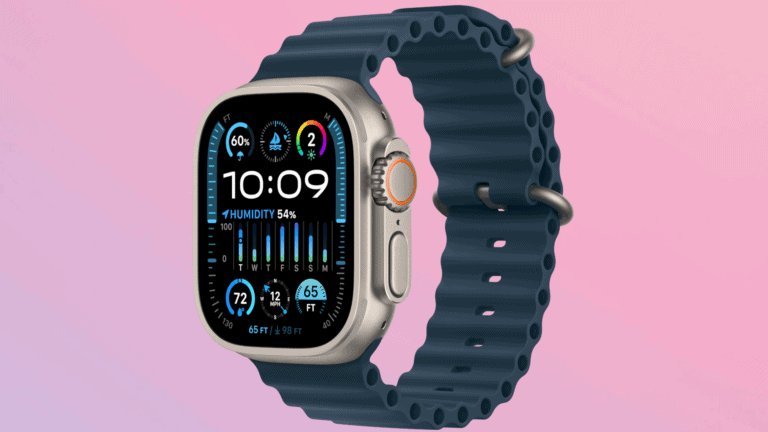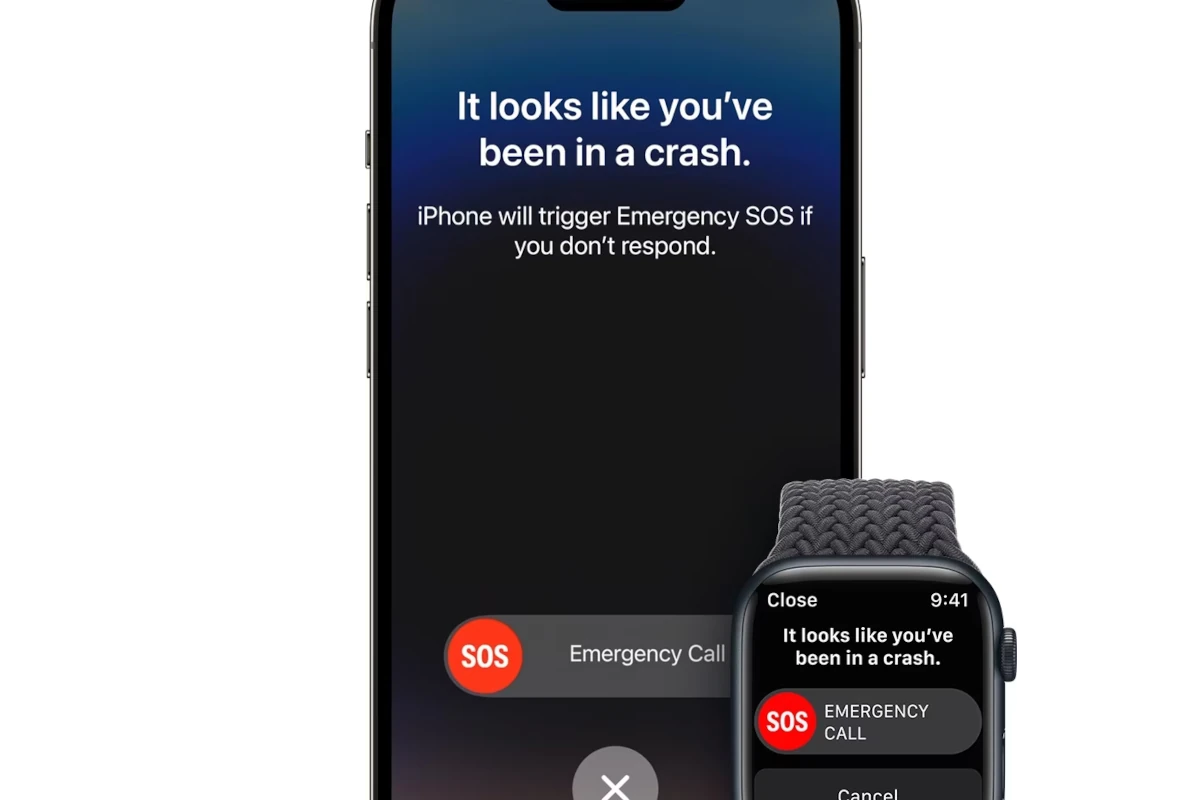
Fall Detection is a safety feature available on the Apple Watch SE, Series 4 and later, and all Ultra models. Using advanced motion sensors and algorithms, the watch can detect when you’ve taken a hard fall. If it senses that you’re immobile afterward, it can automatically connect you to emergency services — a potentially life-saving function.
There have been countless stories online about how Apple Watch’s fall detection has saved someone’s life after they fell off a bike, out of a tree, slipped while at home, etc. Tim Cook (Apple’s CEO) has even replied to emails from people who have in one way or another been saved by this Watch feature. There’s no question that fall detection is in fact a great feature and it’s one of the big reasons to buy an Apple Watch in the first place. This is especially true for older adults who live alone and may have an increased risk of falling.
⚙️ How It Works
Apple Watch uses a built-in accelerometer and gyroscope to analyze your wrist trajectory and impact acceleration. If the motion pattern matches a fall:
- The watch taps your wrist, sounds an alarm, and displays an alert.
- You can dismiss the alert if you’re okay, or tap to call emergency services.
- If you don’t respond within about one minute, the watch will automatically:
- Call emergency services.
- Share your location with them.
- Notify your emergency contacts (if set up in the Health app).
📋 When It’s Enabled
- Users over 55: Fall Detection is turned on by default.
- Users under 55: It’s off by default, but you can manually enable it.
To turn it on:
- Open the Watch app on your iPhone.
- Tap My Watch > Emergency SOS > Fall Detection.
- Toggle it on, and choose whether it should be active Always On or Only During Workouts.
✅ Why It Matters
Fall Detection has been credited with saving lives by quickly alerting emergency responders in critical situations. It’s especially useful for:
- Older adults at higher risk of falls.
- Athletes or outdoor adventurers.
- Anyone with medical conditions that may cause fainting or balance issues.
⚖️ Limitations
- It may not detect every fall (e.g., slow slides from a chair).
- It can occasionally trigger false alarms during intense activities.
- It requires a cellular connection or a nearby iPhone to contact emergency services if you don’t have a cellular model.
📌 Bottom Line
Apple Watch’s Fall Detection is a powerful safety tool that combines sensor technology, smart algorithms, and emergency response features. While it’s not perfect, it provides peace of mind for users and families alike, making the Apple Watch more than just a fitness tracker — it’s also a personal safety device.
How Fall Detection Works and Why It Matters
Apple Watch includes a potentially life-saving feature called Fall Detection. Here’s how it functions and why it could be crucial for you or a loved one.
What is Fall Detection?
Fall Detection in Apple Watch is designed to recognize hard, sudden falls. If a fall is detected, here’s what happens:
- The Watch Checks In: Your Apple Watch will tap your wrist, sound a loud alarm, and display an alert.
- You Have Options:
- If you’re okay, you can tap “I fell, but I’m OK” or “I didn’t fall” to dismiss the alert.
- If you need help, you can tap “Emergency SOS” to immediately call emergency services.
- Automatic Help (if unresponsive): If you don’t respond within about a minute, your Apple Watch will automatically call emergency services and send your location to your emergency contacts.
How Does Apple Watch Detect Falls?
Apple uses custom algorithms and advanced sensors inside the watch to detect hard falls. It looks for specific patterns of movement and impact consistent with a fall.
Who Should Use Fall Detection?
Fall Detection is a valuable feature for:
- Older Adults: Falls are a serious risk for seniors, and quick help after a fall can make a huge difference.
- People with Medical Conditions: Individuals with conditions that increase fall risk (like balance disorders) can benefit.
- Anyone Concerned about Safety: Even if you’re young and healthy, Fall Detection provides peace of mind.
Setting Up Fall Detection
Here’s how to enable or disable Fall Detection on your Apple Watch:
| Setting | How-to |
|---|---|
| Enable (if 55+) | It’s automatically on for users 55 years and older. |
| Enable (if under 55) | Open the Apple Watch app on iPhone -> My Watch -> Emergency SOS -> Enable Fall Detection |
| Disable | Use the same steps above, but toggle Fall Detection off. |
Important Note: Apple Watch Fall Detection is not a substitute for professional medical care, but it can provide an extra layer of protection in case of emergencies.
Apple Watch Fall Detection
| Feature | Description | Benefit |
|---|---|---|
| Function | Detects falls using the watch’s gyroscope and accelerometer. | Can potentially trigger emergency services if you are unable to get help yourself after a fall. |
| Activation | Automatic for users 55 years and older, can be manually enabled for users between 18-55. | Ensures fall detection is on for the most at-risk population by default, while allowing younger users to opt-in. |
| Fall Detection Process | 1. Watch detects a hard fall. 2. Watch taps your wrist, sounds an alarm, and displays an alert. | Alerts you to a potential emergency and gives you a chance to cancel the emergency call if you are not injured. |
| Emergency SOS | If you are unresponsive for about a minute after the fall, the watch will automatically attempt to call emergency services. | Can summon help even if you are unconscious or unable to use your phone. |
| Fall Detection with Emergency SOS via Satellite | On Apple Watch Ultra (with iPhone 14 or later) in areas without cellular or Wi-Fi coverage. | Can potentially connect to emergency services even in remote locations (availability limited). |
| Limitations | – May not detect all falls, especially falls during low-impact activities. – Requires Apple Watch to be worn snugly. | Understanding the limitations can help manage expectations and avoid a false sense of security. |
Overall: Apple Watch Fall Detection can be a valuable safety feature, especially for older adults or people at risk of falls. However, it’s important to remember it is not foolproof and should not be solely relied upon.
An Apple Watch with fall detection capabilities is designed to recognize when a wearer takes a hard fall. If a fall is detected the watch will alert you of it and then proceed to attempt to reach out to emergency services or contacts. It’s not a completely flawless experience. Tests and user experiences have shown that while it’s pretty good at detecting sudden, hard falls, it may miss slower, more gradual ones. This discrepancy raises questions about its reliability as a safety tool for all users, but it doesn’t mean you should dismiss the technology altogether.
Which Apple Watches Have Fall Detection
| Apple Watch Model | Release Date | Fall Detection |
|---|---|---|
| Apple Watch Series 1 | April 24, 2015 | No |
| Apple Watch Series 2 | September 16, 2016 | No |
| Apple Watch Series 3 | September 22, 2017 | No |
| Apple Watch Series 4 | September 12, 2018 | Yes |
| Apple Watch Series 5 | September 20, 2019 | Yes |
| Apple Watch SE | September 16, 2020 | Yes |
| Apple Watch Series 6 | September 18, 2020 | Yes |
| Apple Watch Series 7 | October 8, 2021 | Yes |
| Apple Watch SE 2nd Gen | September 7, 2022 | Yes |
| Apple Watch Ultra | September 7, 2022 | Yes |
| Apple Watch Series 8 | September 7, 2022 | Yes |
| Apple Watch Ultra 2 | September 22, 2023 | Yes |
| Apple Watch Series 9 | September 22, 2023 | Yes |
| Apple Watch Series 10 | September 20, 2024 | Yes |
| Apple Watch Series 11 | September 19, 2025 | Yes |
| Apple Watch SE 3rd Gen | September 19, 2025 | Yes |
| Apple Watch Ultra 3 | September 19, 2025 | Yes |
The technology behind fall detection is complex, relying on sensors to distinguish between normal activities and falls. Apple’s approach aims to balance sensitivity with avoiding false alarms, a challenging task given the variety of movements a person can make in daily life. As users set up their Apple Watch, they’re prompted to turn on fall detection, which becomes automatic for those 55 and older. Despite its limitations, the feature represents a significant step forward in wearable tech’s role in health and safety.
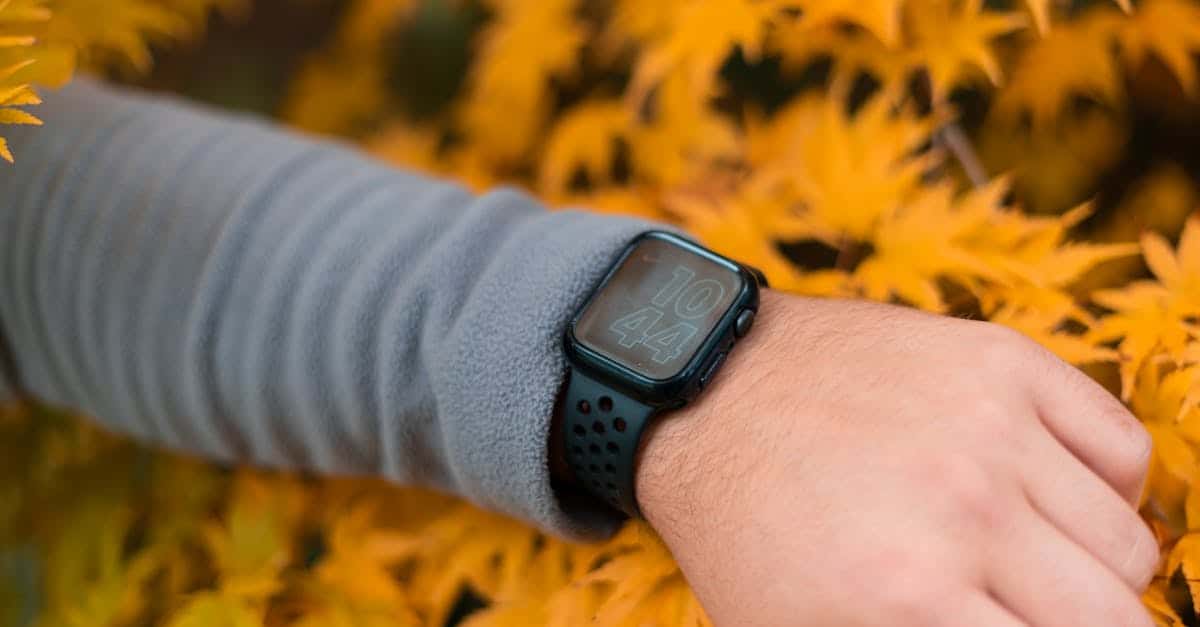
Photo by Harry Shelton on Pexels
Key Takeaways
- The Apple Watch’s fall detection feature is a critical safety tool, particularly for older adults, using sensors and algorithms to detect sudden falls and alert emergency services or contacts if the wearer does not respond.
- While highly beneficial, the technology behind fall detection is complex and not infallible, sometimes missing slower or less obvious falls, leading to questions about its absolute reliability.
- The feature also emphasizes user peace of mind by providing a sense of security and independence, alongside other health and safety functions like storing medical information and location tracking through the Find My app.
- Continuous updates and improvements aim to enhance the fall detection’s effectiveness and reliability, addressing challenges like false positives and missed incidents to ensure users have robust emergency support.
- Despite its potential limitations, such as the necessity for the watch to be correctly worn and charged, Apple Watch fall detection represents a significant advancement in wearable technology for health monitoring and emergency preparedness.
- Future developments in fall detection technology are focused on increasing accuracy, reliability, and accessibility, utilizing advancements like AI and machine learning, additional sensors for more comprehensive monitoring, and longer battery life to extend protection.
Importance of Fall Detection in Apple Watch
Fall detection in the Apple Watch stands out as a key feature, especially valuable for older adults or those with certain medical conditions. It’s designed to recognize when the wearer takes a hard, sudden fall. If the person doesn’t respond within a specific time frame, the watch automatically reaches out for help. This can be life-saving in emergencies where every second counts.
The technology behind this feature involves advanced sensors and algorithms. These components work together to differentiate a fall from other normal movements. When a fall is detected, the watch taps into its Emergency SOS function. It sends messages to emergency contacts and, if needed, calls 911. This swift action can make a big difference in getting help promptly.
Another aspect to consider is the peace of mind this feature brings. Knowing that you or your loved ones have a way to alert for help during falls adds a layer of security. It also fosters independence, offering users and their families confidence in daily activities without constant worry.
Moreover, the Apple Watch includes other safety and health monitoring features. For instance, the Health app allows users to store critical medical information. This includes conditions, allergies, medications, and blood type. In emergencies, this info is readily available for responders, even if the watch is locked.
Adding to its value, the Apple Watch is water-resistant, and models like the SE and Series 8 boast a battery life of 14 to 18 hours. With low power mode, this can extend up to 36 hours. For caregivers, location tracking is another beneficial tool. It enables the monitoring of the watch’s location via the Find My app.
Through its blend of fall detection, health monitoring, and communication tools, the Apple Watch provides a comprehensive safety net. It’s a smart choice for individuals seeking balance between connectivity, health management, and emergency preparedness.
How Fall Detection Works
Fall detection on the Apple Watch uses advanced sensors and smart algorithms. When you wear the watch, it’s always checking for movements. The sensors include an accelerometer and a gyroscope. These help the watch figure out how you’re moving. If the watch notices a sudden change, like you falling, it springs into action.
First, the watch uses its sensors to spot the fall. It looks at how fast and in what direction you’re moving. Then, the algorithms analyze these movements. They’re smart enough to tell the difference between a fall and everyday activities like sitting down quickly.
After detecting a fall, the Apple Watch takes a moment. It waits to see if you’ll move or tap it to show you’re okay. This pause helps avoid false alarms. If there’s no response, the watch understands there might be a real problem. It then starts an emergency procedure.
This procedure involves sending alerts. The watch can show a message on the screen, make sounds, and even vibrate. It’s trying to get your attention in case you can respond. If you’re still not responding, the watch takes the next step. It sends a message to emergency services and your emergency contacts. The message tells them you’ve had a fall. It can also share your location if that feature is turned on.
These steps make sure help is on the way when needed. But remember, the watch needs to be on your wrist and charged to work. Plus, its fall detection isn’t perfect. Sometimes it might miss a fall or think there’s one when there isn’t. However, it’s always getting better as Apple updates the software.
Effectiveness of Apple Watch Fall Detection
The fall detection feature on the Apple Watch has been a significant step forward in wearable tech, especially for users who are at a higher risk of falls. By utilizing a combination of sensors and algorithms, it can identify when a wearer takes a tumble. If the watch detects a fall and the user doesn’t respond within a set time, it automatically contacts emergency services and shares the user’s location if available.
Despite its advancements, the system isn’t perfect. It’s designed to discern between daily activities and actual falls, but it doesn’t catch every incident. Feedback from users highlights both successes in emergency situations and instances where the watch did not recognize a fall.
One challenge is making sure the watch is worn correctly and has enough battery life to function in an emergency. The detection algorithms also continuously evolve with software updates, aiming to reduce false positives and missed incidents.
When comparing to other devices, specific watches like the Kanega Watch offer features that some might find more tailored to their needs, especially for the elderly or those with medical conditions that increase their fall risk. These alternatives sometimes provide longer trial periods, more focused fall detection capabilities, or services that connect users with human responders instead of directly dialing emergency services.
Delivery and warranty options can also influence a buyer’s decision. Apple provides multiple delivery options, including same-day pickup and speedy home delivery for a fee. Their products come with a one-year limited warranty and up to 90 days of complimentary technical support. These factors, combined with the watch’s fall detection feature, play a crucial role in its overall effectiveness and appeal.
Limitations and Challenges
The Apple Watch’s fall detection comes with its set of hurdles. Despite being a major breakthrough in wearable technology, it’s not without flaws. The technology mixes sensors and algorithms to spot falls, but it can miss real incidents or sound false alarms. This is a big challenge. Even after Apple’s September 2023 update to improve it, reports of unexpected 911 calls have surged. Matching the reliability of devices worn around the neck or waist is tough.
Then there’s the essential requirement for the watch. It must be worn correctly and charged for the fall detection to work. This may seem obvious, but it’s not always easy in practice. Poor battery life further complicates matters, demanding frequent charges. Hence, continuous use, a necessity for reliable fall detection, becomes a challenge.
Shopping for an Apple Watch poses its own issues. Customers often face problems with orders from third-party sellers like Amazon, facing shipping issues or receiving products with missing accessories. This frustration adds to the challenge, especially when the watch comes with the expectation of health and safety features.
Apple offers a 14-day return policy, allowing some flexibility for users to test the watch. However, deciding if the device meets one’s needs within such a short window can be tricky. Customer service is available to help, though experiences might vary. Apple aims to make the process smooth, but the hurdles still deter some potential buyers.
In sum, while the fall detection feature marks a significant step toward improved health monitoring, its effectiveness is limited by technological and practical challenges. From the accuracy of fall detection to the simple need for consistent wear and charge, users and the company face obstacles in leveraging this innovative feature to its full potential.
Future of Fall Detection Technology in Wearables
The tech world is always moving forward, and wearables like the Apple Watch are no exception. Specifically, fall detection technology has made waves, helping users in critical moments. But there’s more to come. Advances in this field promise to bring even better safety features.
Right now, fall detection works by sensing sudden movements. Then, it asks the user if they’re okay. If there’s no response, it calls for help. This system is smart, but it can miss falls or make mistakes. The aim is to make these devices smarter and more reliable.
Researchers are working on new methods to detect falls. They’re using things like machine learning, a type of AI, to teach wearables to better understand falls. This could mean fewer mistakes and faster help when needed.
Another exciting area is the addition of more sensors to wearables. By monitoring heart rate, skin temperature, and even the way the body moves, these devices can get a clearer picture of a fall. This can lead to quicker and more accurate detection.
Also, companies are looking into ways to extend battery life. Longer battery life means the watch can keep working longer, keeping users safe day and night. It’s a crucial part of making fall detection more reliable.
Finally, making these devices more affordable and accessible is on the agenda. More people can benefit from this lifesaving tech if it’s easier to get.
As we look to the future, it’s clear that the focus is on improving accuracy, reliability, and accessibility. These advances can make a big difference in users’ lives, offering peace of mind and safety in ways we’ve just started to explore.
Conclusion
The advancements in fall detection technology, particularly in devices like the Apple Watch, are set to revolutionize user safety and peace of mind. With researchers tirelessly working to overcome current limitations through innovative solutions such as machine learning and the addition of new sensors, the future looks promising. These developments not only aim to enhance the accuracy and reliability of fall detection features but also strive to make wearables more affordable and accessible to a wider audience. As we look forward, the emphasis on improving these life-saving technologies ensures that users can rely on their devices more than ever before for their safety and well-being.
Frequently Asked Questions
How accurate is Apple Watch fall detection?
Apple Watch fall detection cannot catch every fall. It tends to be more precise when devices are worn closer to the body’s center, such as on the neck. Apple has mentioned that intense activities might mistakenly activate the fall detection feature.
Is it safe to wear Apple Watch 24/7?
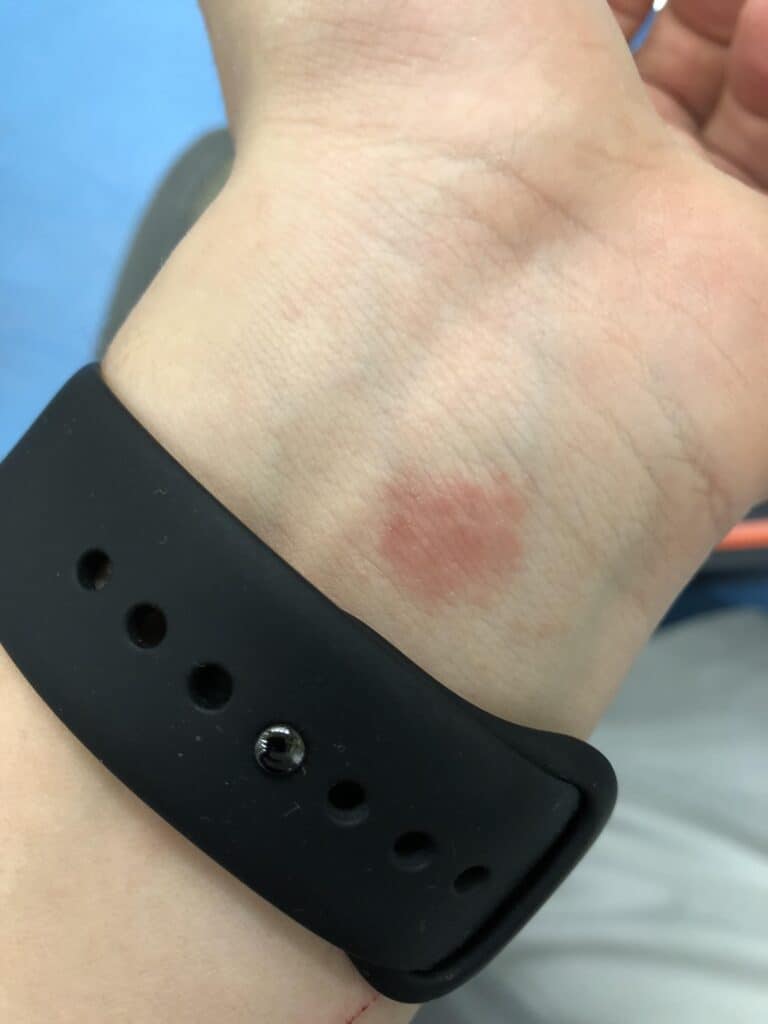
Wearing an Apple Watch all the time can lead to skin irritation, including dryness, rashes, or allergic reactions. This is due to continuous contact and limited air circulation around the skin under the watch.
Will Apple Watch alert if oxygen is low?
Apple Watch alone does not alert for low oxygen levels. However, setting up background measurements enables the Blood Oxygen app to sporadically check your blood oxygen levels, providing some monitoring capabilities.
Can Apple Watch detect sleep apnea?
No, the Apple Watch is not designed to detect sleep apnea. It focuses on general health and wellness tracking but does not specifically monitor for sleep apnea symptoms or episodes.